Team Productivity Software: A Buyer's Guide for 2026
Find the best team productivity software for your business in 2026. Compare build vs. buy options and optimize your workflow for maximum efficiency.
Only 4% of businesses have a fully integrated workplace-software environment, so the central productivity problem is usually integration, not a shortage of apps. The practical answer is to remove disconnected tools first, then build or buy software that joins communication, decisions, data, and automation around the workflows your team runs.
The popular advice is to add another platform whenever work feels slow. That advice usually treats symptoms as strategy. A new task board might improve visibility, while a new AI assistant might speed up drafting, but neither fixes the handoff where information gets copied between systems, approvals disappear into chat, or managers reconstruct operational reality from disconnected records.
This is why team productivity software should be judged as an operating system for work, not as a collection of attractive features. The right system makes ownership explicit, preserves context, routes decisions, and gives automation a reliable place to act. The wrong system creates another login, another notification stream, and another partial version of the truth.
Table of Contents
- Why Adding Tools Often Slows Teams Down
- Understanding Core Productivity Architecture
- Building Custom Systems Versus Buying Platforms
- How to Choose Between Custom and Commercial Solutions
- Real-World AI Automation and Integration Examples
- Calculating ROI and Managing Implementation Risks
- Your Step-by-Step Implementation Roadmap
Why Adding Tools Often Slows Teams Down
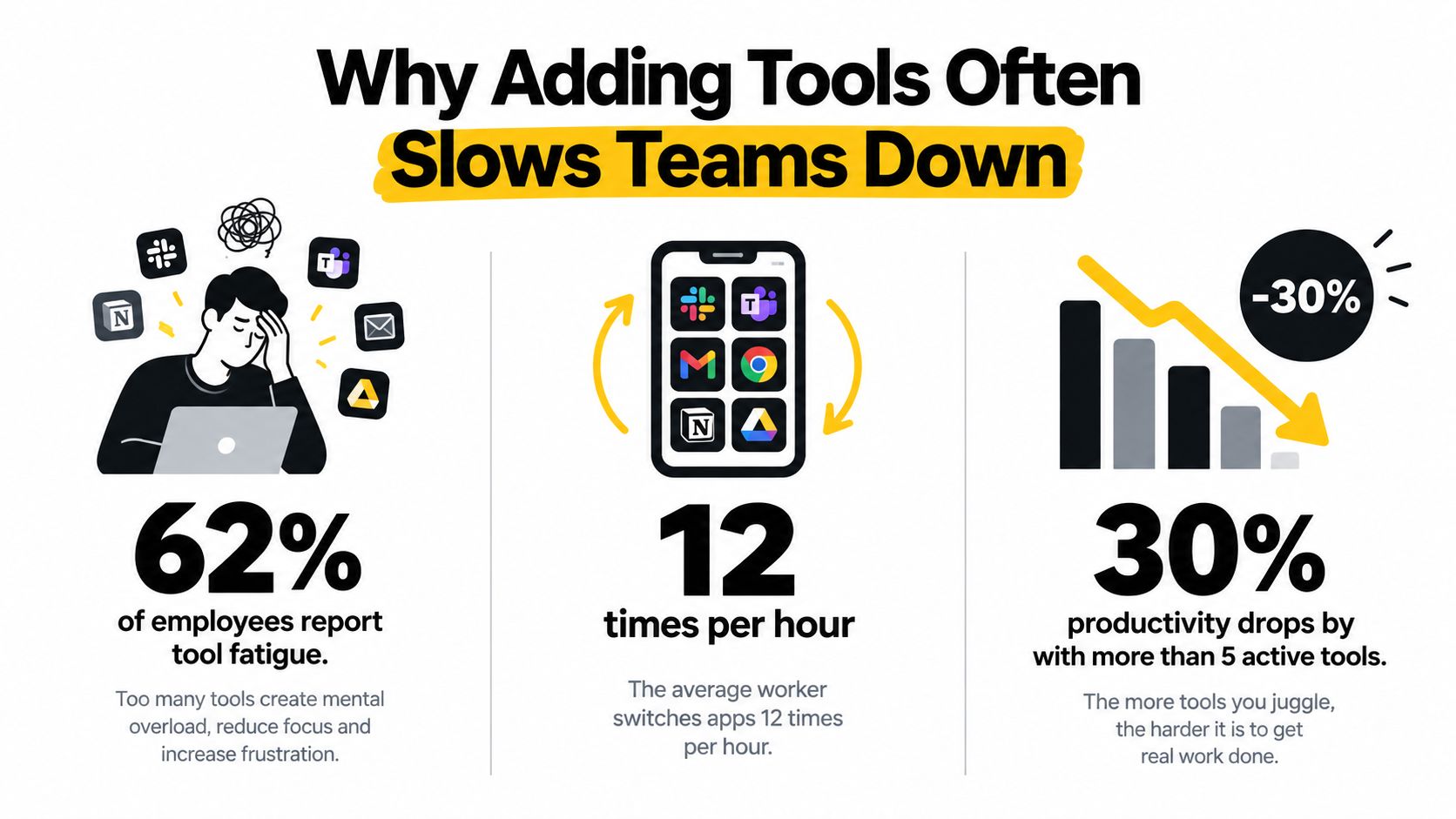
More software is often the fastest way to make a slow team slower. A new platform creates visible activity: the team gets a workspace, imports projects, and announces a cleaner way to collaborate. The operational work receives less attention. Someone still needs to decide which workflow the new tool replaces, which record is authoritative, and which handoff should trigger automation.
Delay those decisions and tool sprawl follows. A request begins in email, moves to chat, gets copied into a project system, waits for approval in a shared document, and reaches a dashboard built from several exports. Each application may perform its own job well. The workflow fails because the transitions between applications have no clear owner, reliable data flow, or defined exception path.
Survey evidence in the Workplace Index report found that only 4% of surveyed businesses reported a fully integrated workplace-software environment, while half used an average of 17 standalone technologies. The same evidence found that 52% identified insufficient cross-platform integration or data consolidation as a major challenge. Those findings describe an operating model problem. Adding another feature to one part of the stack will not repair a broken handoff elsewhere.
The hidden cost sits inside the handoff
The subscription invoice is only one part of the cost. Teams also spend time and attention on:
- Duplicate entry: Employees retype client, project, or request details across systems, creating opportunities for inconsistent records.
- Context switching: A person leaves the place where a request arrived to update the system where the work is tracked.
- Reconciliation: Managers compare conflicting statuses before deciding what requires attention.
- Exception handling: An automation fails, and someone finds the error only after a deadline or customer escalation.
- Ownership gaps: Several people can view an item, but no one is accountable for the next action.
A 2025 survey of more than 6,000 office workers and 1,200 IT and cybersecurity professionals found that 55% of IT professionals still experienced siloed organizational data. Respondents linked those silos to slower response times, lower efficiency, and weaker collaboration, according to the Ivanti workplace research. The practical test is therefore the workflow, not the number of integrations listed on a product page. A connection that does not preserve ownership, status, and context has limited operational value.
Practical rule: Before adding an app, identify the recurring handoff it will eliminate. If it removes no system touch, decision delay, or manual re-entry, it may only add another surface to maintain.
Why more participants don't mean more throughput
Software teams face the same coordination cost at a larger scale. A study of 201 collaborative GitHub projects found a negative relationship between team size and individual productivity. The researchers estimated that doubling development-team size reduced average member productivity by approximately 22% to 30%, after accounting for collaboration structure and alternative productivity measures, according to the study on team size and productivity.
The finding does not mean small teams always perform better, or that collaboration platforms cause harm. Each additional participant can introduce another dependency, notification, review, and coordination path. A system that includes everyone in every workflow can increase visible activity while delaying decisions and obscuring accountability.
Delete the redundant app when a reliable integration or custom internal surface can replace it. Consolidation reduces the number of places where context, ownership, and data can fracture. The productivity gain comes from fewer repair jobs, not from a larger software catalogue.
Understanding Core Productivity Architecture
Communication is not the same as work execution. Chat, meetings, and file sharing help people exchange information, but operational productivity depends on what happens after the exchange. A useful system turns a message into a structured request, assigns an owner, records the decision, triggers the next action, and makes the outcome visible.
Microsoft reported that Teams reached approximately 320 million monthly active users in 2024, making it one of the largest enterprise collaboration platforms globally, according to Microsoft-related collaboration research. The same source reports that employees spend about 57% of working time on communication activities such as meetings, email, and chat. That makes collaboration infrastructure operationally important, but it also exposes the limitation of communication-first design. If communication consumes a substantial share of the day, the system must connect it to durable work rather than generate more messages.
The four layers of a useful work surface
A well-built productivity architecture usually combines four layers:
- Context: The request, supporting files, customer history, and relevant policy should travel with the work.
- State: The system should distinguish new, in review, approved, blocked, completed, and rejected work.
- Decision logic: Rules should determine who acts next, which approval is required, and when an exception needs human attention.
- Evidence: The system should preserve the decision record, timestamps, overrides, and outcome so managers can diagnose performance later.
This structure changes the role of AI. An LLM that summarizes an isolated chat transcript may save reading time, but an integrated agent can classify an incoming request, attach the correct record, propose a route, and wait for an accountable person to approve the action. The difference is not the model alone. It is the surrounding architecture.
Activity is a poor substitute for progress
A high message count, a crowded task board, or a dashboard full of status changes can indicate coordination failure rather than productivity. A 2026 empirical study of 124 software professionals found that trust was the strongest positive predictor of software quality and productivity. It also associated effective communication and collaboration tools with better outcomes, while unstructured collaboration, excessive planning meetings, and poorly managed communication channels were linked to delays, rework, and lower quality, according to the study of trust, collaboration, and software outcomes.
Design for fewer, clearer transitions. Give each workflow one system of record, expose role-based visibility, prioritize alerts, and create searchable decision records. Measure cycle time, queue age, rework, escalation volume, and review effort alongside activity. Team productivity software earns its place when it makes the next correct action easier to take.
Building Custom Systems Versus Buying Platforms
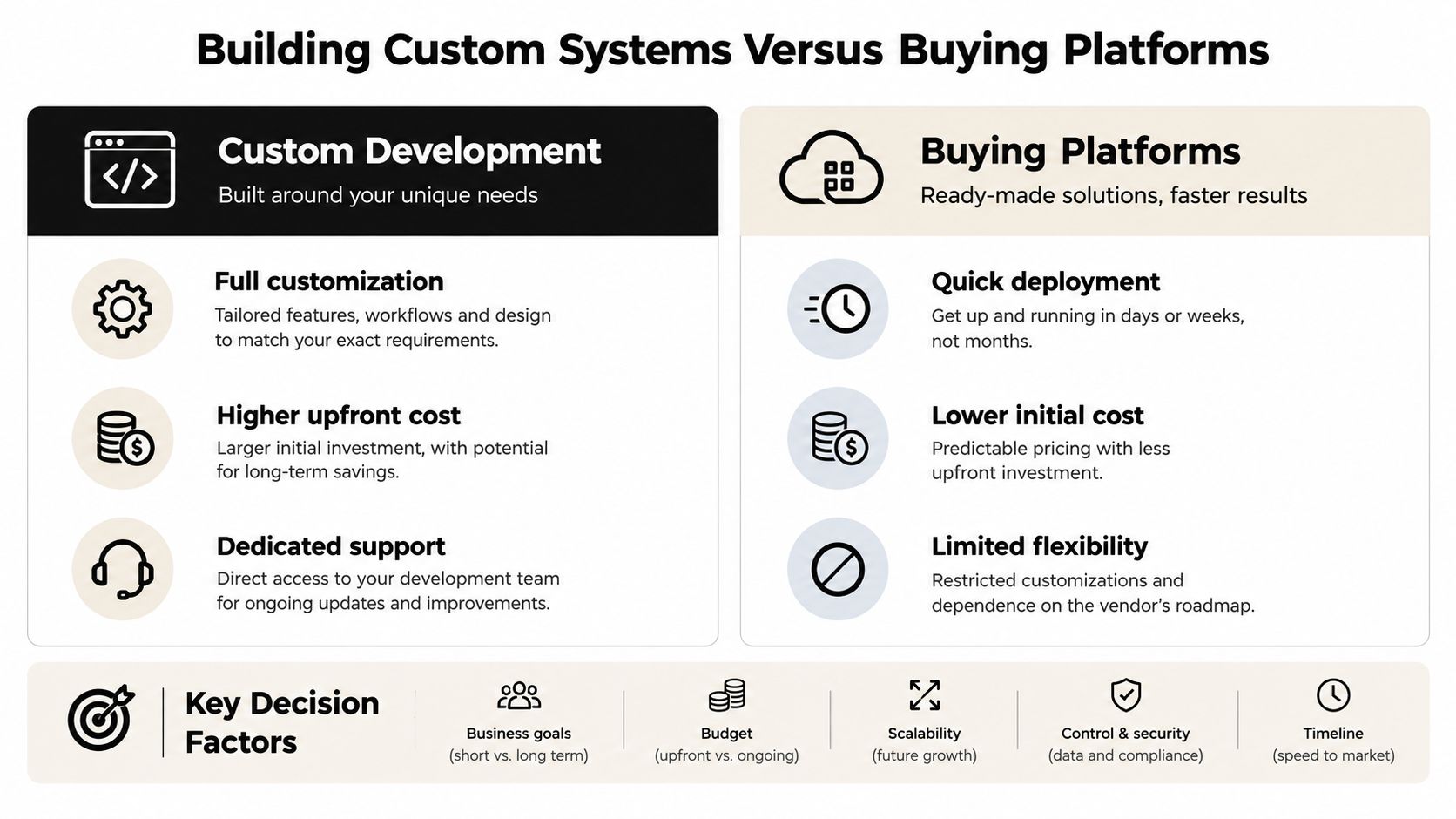
The build-versus-buy decision isn't about whether commercial software is good or custom development is prestigious. It's about how closely the system must represent your operating model. A general platform works well when your workflow resembles the assumptions built into the product. Custom software becomes valuable when those assumptions force people to work around the system.
A commercial platform offers a faster starting point, established security controls, vendor-maintained infrastructure, and a familiar set of features. It can be the right answer for common workflows such as basic task assignment, document collaboration, or routine scheduling. Its weakness appears when teams need unusual approval rules, bidirectional data synchronization, or AI logic that depends on proprietary context.
Custom development requires more deliberate discovery and ownership. You define the data model, permissions, interfaces, integration behavior, monitoring, and exception paths. That creates a higher upfront commitment, but it also lets the system encode the rules your team already follows instead of asking employees to imitate a generic template.
Compare the operating trade-offs
| Decision factor | Buying a platform | Custom development and AI workflows |
|---|---|---|
| Integration depth | Works well when native connectors cover the required systems | Supports tailored, bidirectional flows and a defined system of record |
| Automation complexity | Handles configurable rules and standard triggers | Models exceptions, approvals, proprietary logic, and agent-assisted decisions |
| Deployment speed | Usually faster for common use cases | Requires discovery, architecture, testing, and staged delivery |
| Long-term ownership | Depends on vendor roadmap, pricing, and availability | Gives the organization control of workflows, code, and operational behavior |
| Flexibility | Constrained by product configuration and permissions | Designed around the organization's real process |
| Maintenance | Vendor handles much of the platform maintenance | The owner must maintain integrations, monitoring, security, and change management |
The most useful comparison is not between product feature lists. It is between the cost of adapting your process to a platform and the cost of maintaining software that matches the process. A build-versus-buy framework for AI tooling can help teams assess that choice around integration, automation, and ownership.
When custom work pays off
A custom build tends to make sense when the same manual transfer happens repeatedly, when a workflow crosses several systems, or when a leadership decision depends on assembling information that no existing platform can present coherently. It also becomes more defensible when the process itself differentiates the business, such as a specialized underwriting review, acquisition pipeline, or complex service-delivery model.
Don't build a custom clone of a mature commodity product. Build the connective tissue around your distinctive workflow. A small internal application that routes requests, synchronizes records, and exposes exceptions can create more value than a large standalone platform that duplicates features your team already owns.
How to Choose Between Custom and Commercial Solutions
Start with the workflow, not the vendor shortlist. Choose one recurring process that causes visible delay, such as lead qualification, contract review, operational approvals, client onboarding, or risk escalation. Map its trigger, decisions, systems touched, handoffs, exceptions, and final outcome.
Then apply this decision sequence.
First, measure the friction
Count how many times a person transfers information between systems. Record where work waits, where employees re-enter data, where managers chase status, and where an exception leaves the documented process. You don't need perfect financial accounting at the start. You need enough evidence to distinguish a genuine bottleneck from a complaint about interface preference.
A workflow that touches several systems but runs reliably may need a connector, not a new application. A workflow that requires judgment, has unclear ownership, and produces inconsistent records may need a redesigned operating surface.
Next, test the uniqueness of the logic
Ask whether the process follows rules that a standard platform already supports. If the answer is yes, buy and configure carefully. If the process depends on proprietary scoring, unusual approval thresholds, multiple data sources, or frequent exceptions, custom software or an AI-enabled orchestration layer deserves evaluation.
AI customization matters when the system must classify unstructured material, summarize context for a decision-maker, predict a possible delay, or recommend a route. It doesn't justify adding a language model to a workflow that a clear rule can handle more safely.
Finally, assess ownership capacity
A custom system needs an accountable owner, documentation, monitoring, and a change process. If nobody can maintain integrations or review AI exceptions, a commercial platform with mature support may be safer. If your business already has strong operational ownership and the workflow carries meaningful recurring cost, a custom build can be a rational investment.
Use this practical checklist:
- Buy when: The workflow is common, the required integrations already exist, and configuration covers the process without workarounds.
- Integrate when: The main failure is duplicate entry or disconnected records, while each existing tool still serves a useful purpose.
- Build when: The workflow is central to your advantage, its logic is unusual, and manual coordination repeatedly constrains decisions.
- Automate cautiously when: The task is repeatable and measurable, with clear human review for uncertain or high-impact outcomes.
- Delete when: A tool duplicates another system, lacks a clear owner, or creates more reconciliation work than it removes.
Real-World AI Automation and Integration Examples
A useful AI workflow doesn't sit beside operations waiting for someone to copy a prompt into it. It receives structured context, performs a bounded task, records its reasoning or output, and sends the result to a human or system that owns the next action.
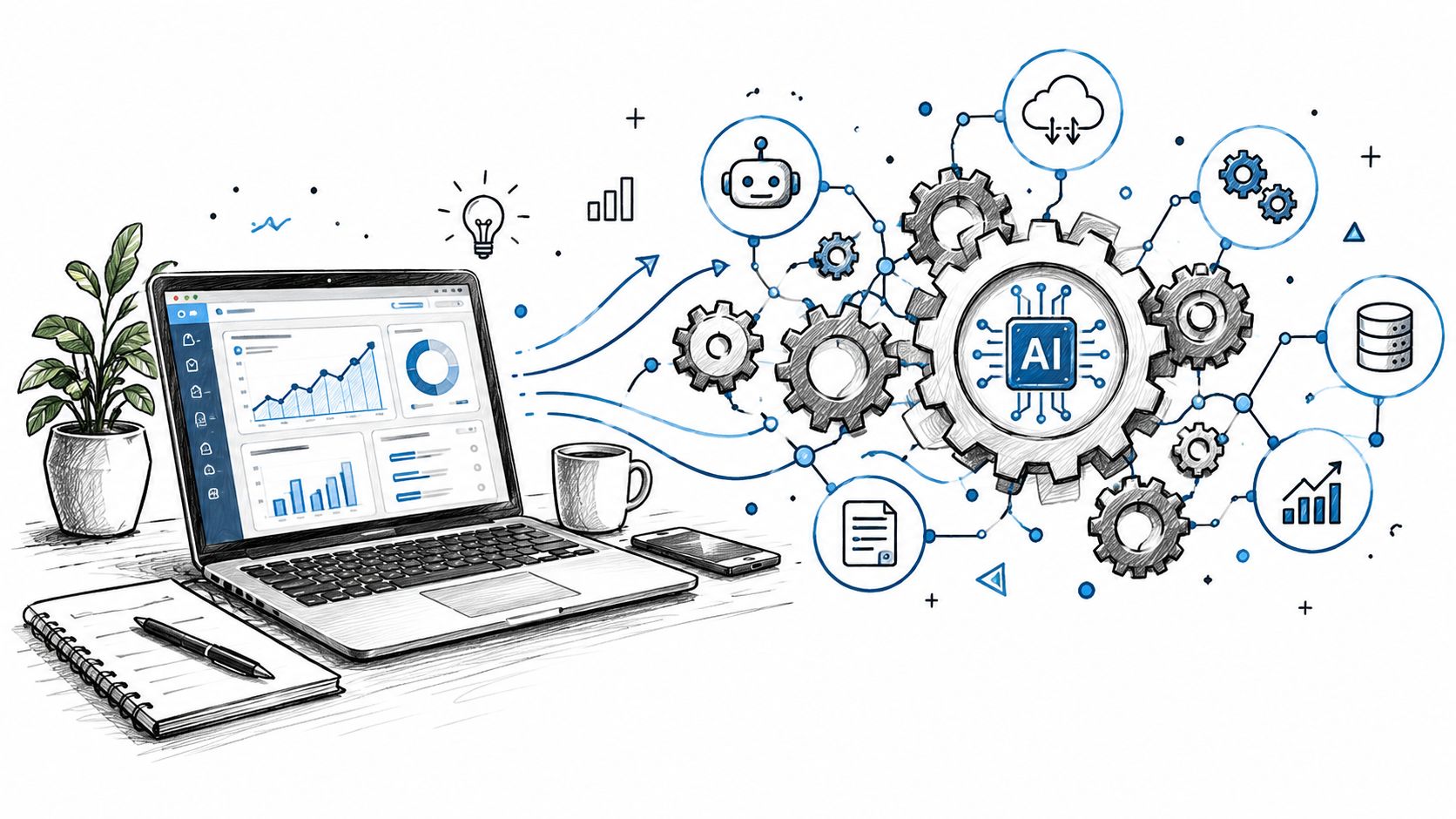
Consider a lead-routing workflow. New inquiries arrive through forms, email, and partner channels. A custom service can normalize the input, match the contact to existing records, classify intent, score fit against approved criteria, and route the lead to the correct owner. The agent shouldn't make an unannounced decision about whether a lead is commercially viable. It should show the evidence, confidence, missing information, and recommended route, then let the accountable person approve or override the action.
A portfolio or client-risk workflow follows a similar pattern. The system gathers delivery signals, unresolved issues, changes in scope, communication sentiment, and overdue decisions. An AI model can summarize the risk indicators and prioritize accounts for review, while deterministic rules handle escalation and access control. The result is not an autonomous prediction machine. It's a decision-support surface that reduces the time leaders spend assembling context.
Route documents without manual sorting
Document intake is another practical use case. An operations team may receive contracts, applications, invoices, or compliance materials in inconsistent formats. An AI pipeline can identify the document type, extract relevant fields, validate required information, and send the record to the correct queue. Low-confidence items go to a review queue with the original document and extracted values visible together.
That last step matters. Classification without exception handling creates hidden risk. A reliable system measures false positives, omissions, override rates, latency, and data-quality failures. It also keeps an audit trail so a manager can understand why an item was routed and who changed the result.
A client portfolio agent example illustrates the broader pattern of combining structured business data with AI-assisted review. The value comes from connecting the agent to operational records and ownership rules, not from placing a general chatbot in front of employees.
The same principle applies to LLM integration in internal systems. Use the model for language-heavy work such as summarization, classification, and drafting. Use conventional software for permissions, state transitions, calculations, and irreversible actions. This separation makes the system easier to test and safer to operate.
Calculating ROI and Managing Implementation Risks
A credible business case begins with the workflow's current cost, not a promised productivity percentage. Measure waiting time, manual transfers, error corrections, manager time spent assembling status updates, and escalations. Then compare those costs with the proposed system's build, integration, licensing, monitoring, and ownership requirements.
Custom software carries discovery, architecture, development, testing, deployment, documentation, and maintenance costs. Commercial platforms carry configuration, migration, training, integration, recurring subscriptions, permission administration, and the cost of reshaping your process around the product. A low purchase price can still create a high operating cost when employees reconcile records across disconnected tools every day.
Use outcome measures that expose the bottleneck
Choose a small baseline and measure it again after the change:
- Cycle time: How long does a request take from intake to decision?
- Queue age: How long do unresolved items wait?
- Rework: How often does an item return because information is missing or incorrect?
- Manual effort: How much employee and manager time goes into transferring, checking, and reporting?
- Exception rate: How often does automation need human correction?
- Decision quality: Do reviewers have enough context to approve with confidence?
A dashboard is useful only when it connects these measures to decisions and ownership. An insurance operations dashboard example shows the type of internal surface that brings operational signals into one place. Its value is not visual polish. The relevant question is whether the team reaches decisions with fewer transfers, less waiting, and better evidence.
AI adoption also needs a value check. A 2025 survey found that 42% of office workers reported using generative AI at work, up 16 percentage points from the previous year, while 74% of IT professionals used it, according to Ivanti's Tech at Work research. The same research cited broader evidence that only 6% of organizations achieved AI impact equivalent to at least 5% of operating profit. Adoption shows usage, not a return.
Manage failure before launch
Integration failures, stale data, unclear ownership, and brittle automations can erase the expected benefit. Assign an owner to each automated workflow. Define a visible failure state, retry behavior, alert path, and manual fallback. Keep irreversible actions behind approval until the system performs reliably in the live process.
Set a review point before launch. If cycle time has not improved, rework has increased, or staff are creating side spreadsheets, change the workflow or remove the automation. Do not keep an app because the team has already paid for it.
Measure the queue, not the excitement. A well-received AI assistant that does not shorten a decision queue is an adoption success, not yet an operational success.
Your Step-by-Step Implementation Roadmap
Start small enough to observe and important enough to matter. A controlled workflow gives the team a clear baseline, a bounded automation target, and a practical way to learn without disrupting the entire operation.
- Assess the process. Map the trigger, systems, owners, decisions, exceptions, and current measures. Remove redundant tools before designing replacements.
- Plan the architecture. Define the system of record, data flows, permissions, integration boundaries, AI responsibilities, human approvals, monitoring, and fallback procedures.
- Pilot one workflow. Choose a narrow use case such as document routing, lead classification, approval preparation, or risk summarization. Compare the pilot against the baseline and inspect errors, overrides, and user behavior.
- Roll out with ownership. Expand only after the workflow is stable. Document the operating procedure, train the people who handle exceptions, and hand over code, credentials, documentation, and change responsibilities.
The implementation should leave the team more independent, not more dependent on an outside operator. Internal Systems designs custom software, integrations, operational automations, and AI-powered workflows for teams that need one working surface instead of disconnected tools, with delivery covering diagnosis, architecture, build, and handoff. Visit Internal Systems to discuss a workflow audit or a focused custom build that replaces manual transfers with a system your team can operate.