Data Integration Patterns: A Practical Guide for Ops Teams
Explore core data integration patterns, when to use each, and how to build safe, maintainable integrations for AI-enabled operations.
An operations leader opens the CRM, the warehouse dashboard, and the customer-support queue before a weekly review. Each shows a different version of the same pipeline, with timestamps that don't line up. Someone checks the shared spreadsheet, finds a manual correction from last week, and realizes the file has drifted again.
That isn't a dashboard problem. It's a data integration pattern problem. The architecture determines whether a decision uses fresh information, whether a failed update can be replayed, and whether anyone knows who owns the exception when a workflow breaks overnight.
The right choice isn't always real-time, and it isn't always the most modern architecture. It's the cheapest pattern that preserves the required decision speed, recovery path, and operational control. The following guide treats integration as a delivery decision for custom software and AI workflows, not as a catalog of fashionable tools.
Table of Contents
- The Operations Moment That Forces a Pattern Decision
- The Four Patterns Every Operations Team Should Recognize
- Choosing Between Patterns by Latency, Cost, and Failure Mode
- Matching Pattern to Work by Urgency and Reversibility
- The Hybrid Pattern Most Internal Systems Actually Need
- Getting Event-Driven Integration Right Without Silent Failures
- The Control Plane That Makes AI Workflows Safe on Top of Integrations
- Monitoring, Recovery, and Your Next Build
The Operations Moment That Forces a Pattern Decision
The disagreement usually appears during a meeting. Sales says a lead has been waiting for an hour. Operations says the queue is clear. Finance sees a different status in its reporting view. An engineer explains that one system updates immediately, another synchronizes periodically, and a third only changes after a manual review.
The team can still make a decision, but someone has to reconcile the systems first. That person becomes the hidden integration layer, copying values between tools, checking timestamps, and deciding which record looks trustworthy. The work may feel temporary, but it becomes part of the operating model.
A custom workflow makes the trade-off visible. If an AI agent routes customer requests, stale data can send work to the wrong team. If a payment approval is duplicated, retry behavior becomes a financial control issue. If a nightly reconciliation fails, the organization needs a recoverable process, not an engineer searching through logs at 2 a.m.
Practical rule: Choose a pattern based on the consequence of delay and failure, not on the technical appeal of speed.
This guide focuses on five questions. How quickly must a decision happen? How expensive is continuous processing? What happens when a dependency fails? Who owns the exception? Can the workflow prove what happened? Those questions lead to better architecture than starting with an API vendor, a message broker, or an AI framework.
The Four Patterns Every Operations Team Should Recognize
The foundational pattern is ETL, extract, transform, load. It emerged in the 1970s and later became a dominant way to populate data warehouses, particularly during the 1990s and 2000s as organizations combined enterprise databases with sources such as social-media platforms, Internet-of-Things devices, and sensors, as IBM's overview of ETL explains. A pipeline extracts records, cleans and standardizes them, validates them against business rules, and loads the result into an analytical store.
ELT changes the order. The system extracts source data, loads it into the target environment, and transforms it there. That approach fits cloud-based analytical systems where storage and compute can scale independently. For a custom operations platform, ELT is useful when the team needs to preserve raw inputs, rerun transformations, or support several downstream products without repeatedly extracting from the operational source.
API synchronization is different. It describes the connection mechanism, usually a request to read or update a record in another application. A custom onboarding system might call a CRM API to retrieve account details, send a classification result to a ticketing system, or update an ERP record after an approval. API sync works well when the receiving system needs an explicit action and the workflow can handle timeouts, authentication failures, retries, and version changes.
Event-driven streaming describes the trigger. Instead of repeatedly asking whether something changed, a source publishes an event such as claim_submitted, lead_qualified, or inventory_reserved. A consumer reacts to that event, often through a broker, and can start an AI classification, notification, or operational task.
The warehouse pattern became distinct in the late 1980s and early 1990s as organizations separated reporting repositories from transaction systems. IBM researchers Barry Devlin and Paul Murphy introduced the term “business data warehouse” in 1988, Bill Inmon published Building the Data Warehouse in 1991, the Data Warehousing Institute was founded in 1995, and Ralph Kimball published The Data Warehouse Toolkit in 1996, according to the historical data-warehouse overview.
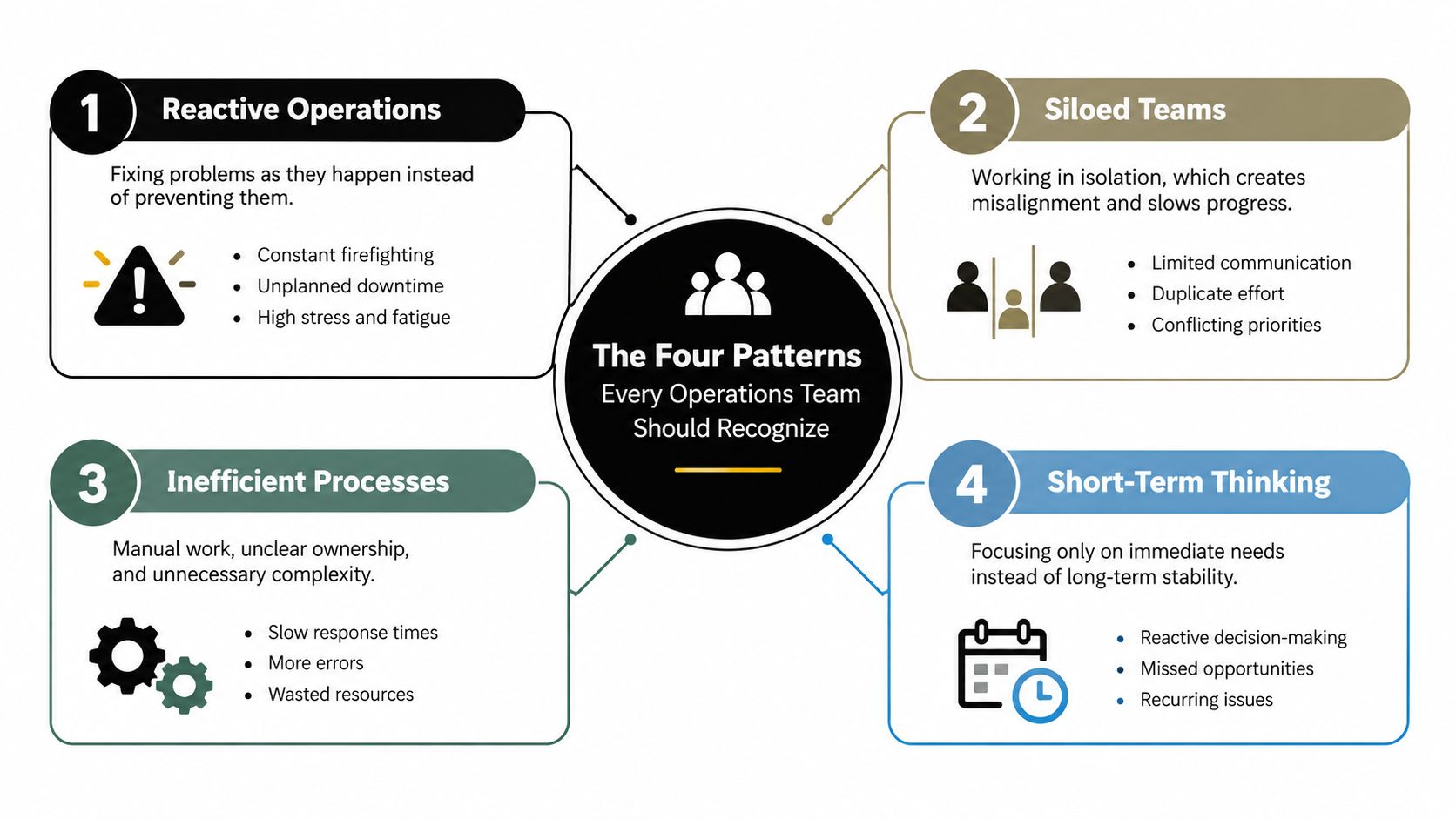
Keep the mental model simple. ETL and ELT describe when and where transformation occurs. API synchronization describes how systems connect. Event streaming describes what causes processing to begin. They can coexist in one custom system.
Choosing Between Patterns by Latency, Cost, and Failure Mode
Teams often choose integration patterns by asking which one is fastest. That's too narrow. A fast workflow that is difficult to replay, expensive to monitor, and unclear about exception ownership can create more operational work than a slower batch process.
| Pattern | Typical latency | Failure recovery | Relative cost | Complexity | Exception ownership |
|---|---|---|---|---|---|
| ETL | Scheduled or periodic | Rerun the failed stage or batch | Lower for predictable workloads | Moderate | Data or platform team |
| ELT | Scheduled or periodic, depending on orchestration | Reload raw data and rerun transformations | Moderate, tied to target compute | Moderate | Analytics or platform team |
| API synchronization | Seconds to minutes when available | Retry, queue, reconcile, or escalate | Variable per call volume and dependency | Moderate | Workflow owner and integration owner |
| Event-driven streaming | Near-real-time | Replay events, retry consumers, reconcile state | Higher monitoring and infrastructure demand | High | Event producer, consumer, and platform owner |
A portfolio operations team offers a useful example. The team needs a dashboard for historical performance and a queue for urgent client-review tasks. A nightly ETL pipeline is a sensible choice for the dashboard. It's predictable, easy to reconcile, and cheap to rerun when a source export arrives late.
The queue is different. Waiting for the next batch means an operator may act on outdated status. An event or API-driven workflow can start the review when a material change occurs, but it also introduces retries, duplicate-event handling, dependency outages, and more detailed monitoring. The team should use the faster pattern only for the decision that needs it, not for every field in the portfolio model.
For a concrete example of operational scoring built around live signals, see this real-time lead-scoring implementation. The important architectural question isn't whether a live pipeline can be built. It's whether the business outcome justifies the added recovery and ownership model.
Real-time is a requirement only when delay changes the decision.
Batch is the right answer when the work is reversible, periodic, and tolerant of stale information. It also gives teams a clean reconciliation point. Event-driven processing earns its complexity when duplicate actions or lost state create material risk, such as duplicate approvals, missed escalations, or inconsistent customer status.
Matching Pattern to Work by Urgency and Reversibility
Pattern selection improves when the team classifies the work, not the systems. A single customer operation may use a batch process for reporting, an API call for a user-facing update, and an event for an irreversible action.
Periodic work belongs in batch
A finance reconciliation that runs overnight doesn't need streaming. Extract the relevant records, transform them into a consistent structure, load the reconciliation view, and produce an exception queue for the next business review. If the run fails, the team can retry it or compare the output against the source without blocking a transaction.
This is the cheapest pattern that preserves the required control. Adding live processing would increase monitoring and failure-handling demands without improving the decision.
Operational queues need fresher synchronization
Customer onboarding is more sensitive to delay. When a new customer completes a required step, an API update or change-data-capture signal can refresh the operations queue. An asynchronous queue is useful when downstream systems may be slow, because the onboarding application can accept the change while a worker retries the CRM, document service, or AI classifier.
The operator sees current work, while the system retains a recoverable path for partial failure.
Irreversible decisions need event discipline
A claims approval, payment instruction, or risk escalation shouldn't depend on an informal chain of synchronous calls. Publish a durable business event, process it through a controlled workflow, and route uncertain cases to a human reviewer. The action needs an audit trail showing the input, decision, model or rule version, and final outcome.
The useful question for a COO is not, “Which pattern is most modern?” It's, “What is the cheapest pattern that preserves the required decision speed and control?” Urgency tells you how fresh the data must be. Reversibility tells you how much recovery discipline the workflow needs.
The Hybrid Pattern Most Internal Systems Actually Need
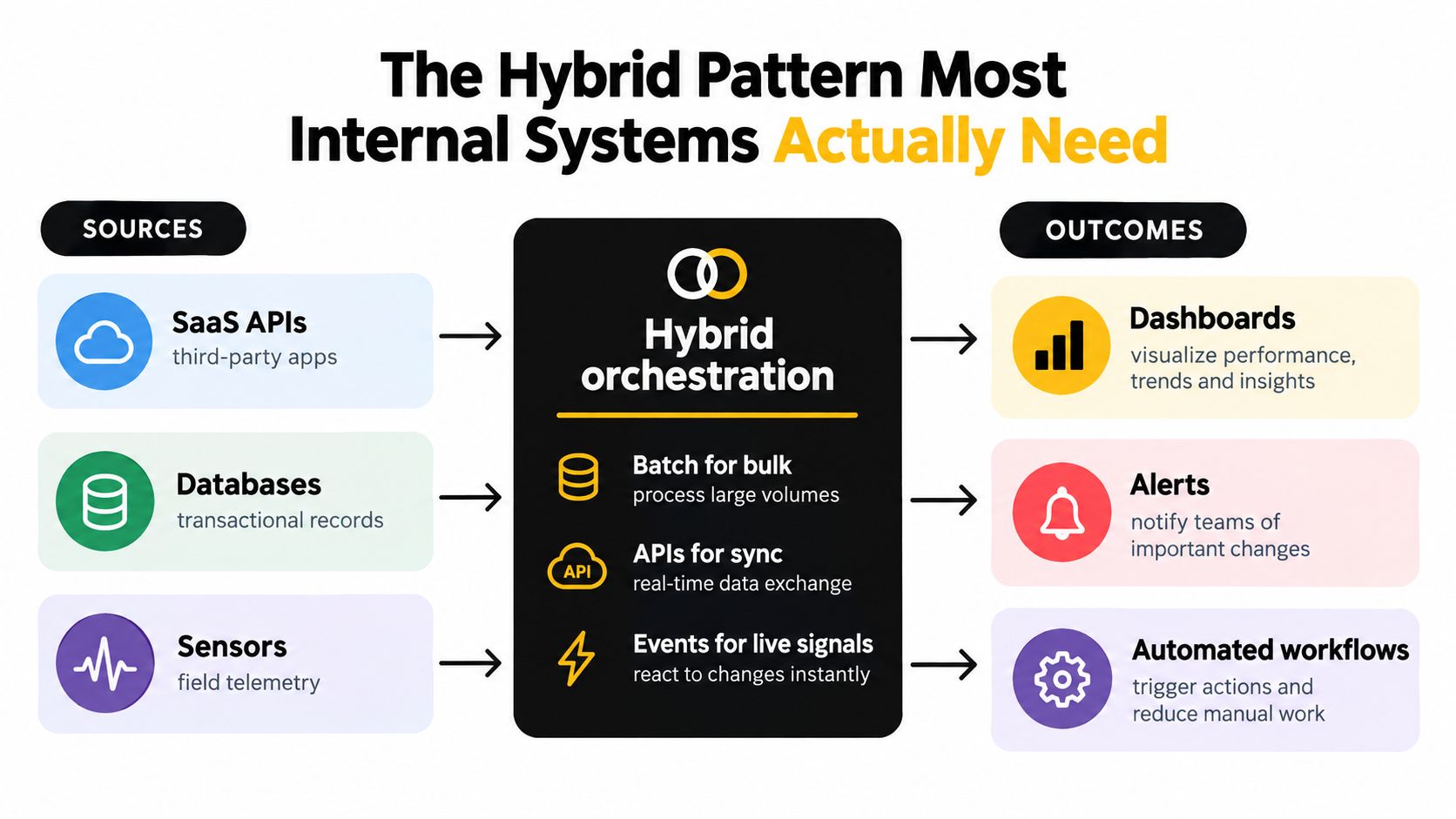
Most operational businesses inherit a mixture of SaaS APIs, transactional databases, sensors, and cloud services. Forcing every source into periodic ETL creates stale queues. Forcing every source into streaming creates unnecessary infrastructure and difficult failure modes.
A hybrid integration pattern combines batch, asynchronous processing, real-time streaming, and centralized or distributed sources. NIST's interoperability requirements call for reliable support across these processing modes and source types, including standard interfaces for describing, querying, and editing data models through application interfaces such as REST and OData, as documented in its interoperability framework.
Use a clear rule set:
- Batch or ELT: Historical backfills, periodic reporting, and low-urgency reconciliation.
- Change-data capture or event streaming: Operational state changes that must propagate quickly.
- Asynchronous queues: Workloads with traffic spikes or dependencies that shouldn't block the originating application.
- Contract-based schemas: Every boundary where a field name, data type, or required value can change.
A practical workflow might begin when a CRM record changes. The source publishes a customer-update event. A worker retrieves the permitted context, sends it to an AI classifier, stores the classification with its model and input provenance, and writes an outcome to the operations queue. The dashboard can receive a near-real-time status update, while a nightly ELT job reconciles the operational records against the analytical store.
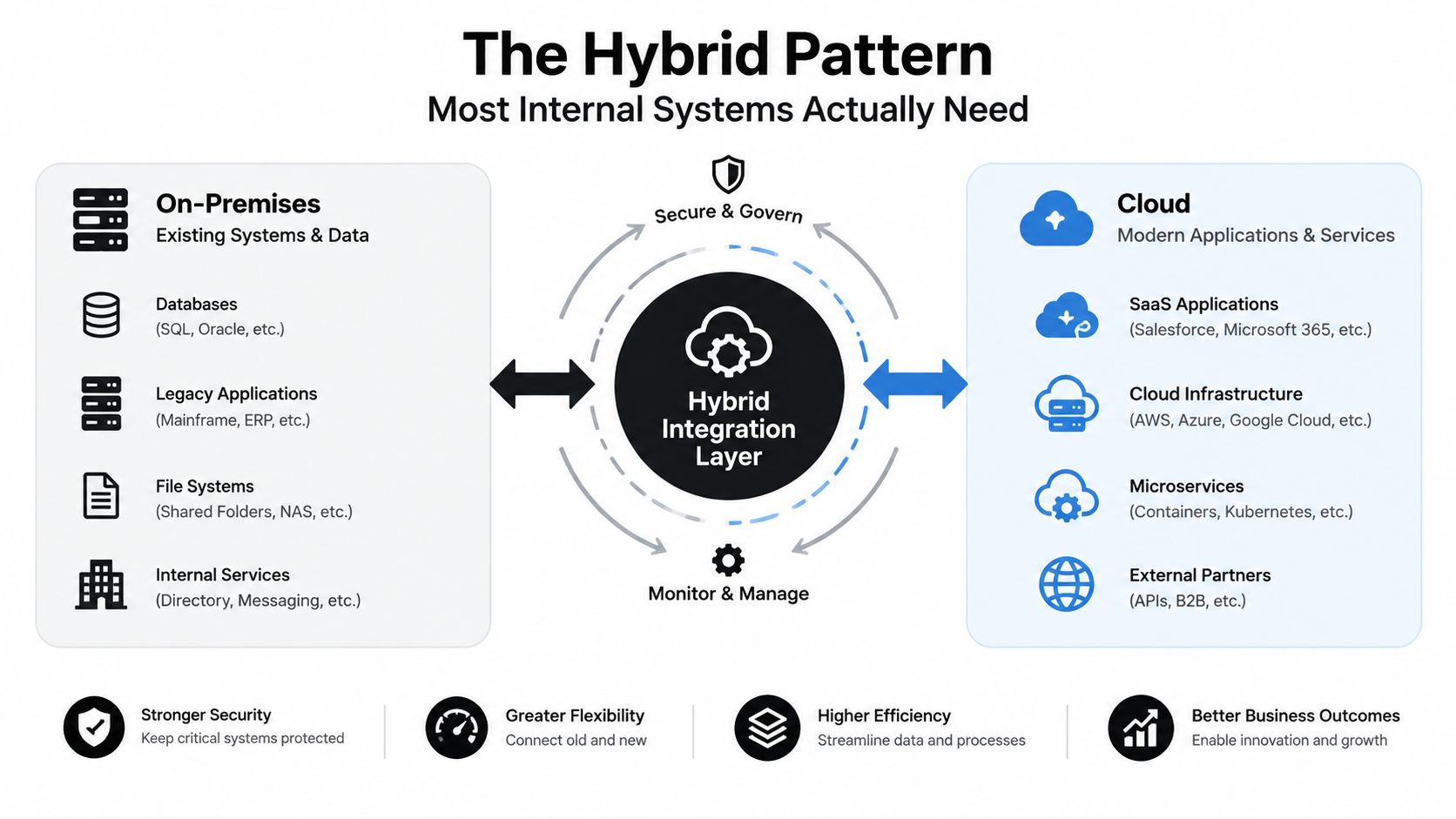
The hybrid design also limits blast radius. If the CRM, warehouse, or AI service is temporarily unavailable, the source transaction doesn't have to fail. The queue retains the work, retries follow a defined policy, and operators can inspect or replay the exception.
Boundary rule: Version the contract before you version the connector.
A schema contract should define required fields, allowed values, ownership, compatibility expectations, and what happens when validation fails. Without it, a harmless field rename can alter an AI prompt without warning, break a dashboard filter, or corrupt a downstream metric.
Getting Event-Driven Integration Right Without Silent Failures
A missed claim update can delay payment, duplicate an invoice, or leave an operator working from stale information. Event-driven integration earns its complexity when those failures carry material operational cost. Choose a scheduled report instead when delayed data is acceptable and no team can operate retries, replays, consumer lag, and schema changes.
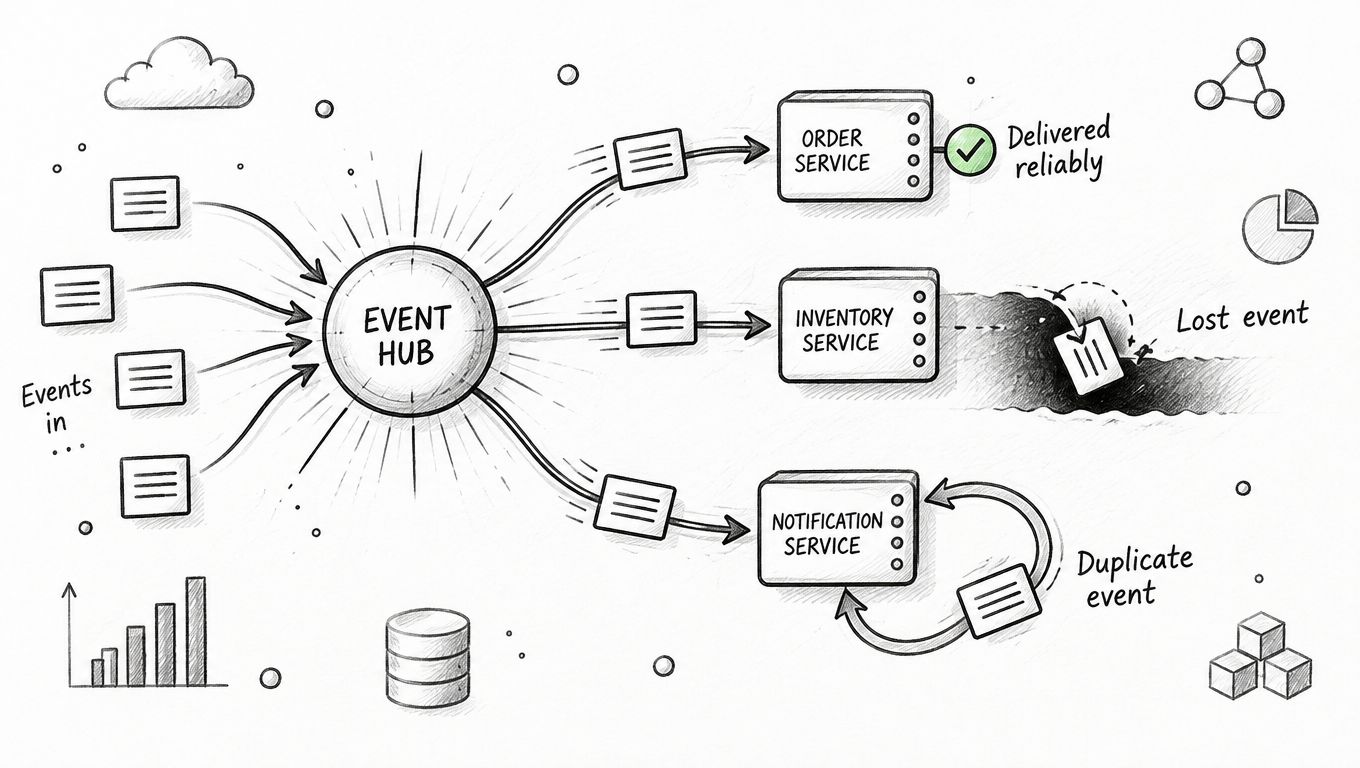
Four implementation decisions determine whether the pattern remains dependable:
- Publish immutable domain events. Record what happened, rather than exposing a mutable snapshot whose meaning can change after publication.
- Partition by a stable business key. Preserve ordering for workflows that depend on it, such as all actions for one claim or customer.
- Process within a transaction. Where the platform supports it, apply the consumer's state change and publish its output as one controlled unit.
- Persist an idempotency key. Store a value such as event ID plus operation type, so retries cannot create a second invoice, task, or CRM update.
Kafka supports at-most-once, at-least-once, and exactly-once processing. Its exactly-once model combines transactional and idempotent production, allowing processing results to appear once in output topics and state stores even when clients or brokers fail during processing. Kafka Streams exactly-once v2 requires brokers version 2.5 or newer, as described in the Kafka processing semantics reference.
Benchmark results for exactly-once processing are workload-specific. Test with your message size, partition count, replication factor, failure rate, and latency target before using benchmark performance to justify production architecture. Batching can improve throughput, but longer batching delays increase latency.
Teams evaluating real-time data with Kafka should ask whether consumers are idempotent, business keys remain stable, and operators can explain and replay a failed decision. Processing speed matters only after those controls work.
Run these checks before production:
- Duplicate behavior: Send one event repeatedly and confirm the business action occurs once.
- Out-of-order behavior: Deliver related events in an unexpected sequence and inspect the resulting state.
- Replay behavior: Reprocess a historical window without creating duplicate side effects.
- Dependency failure: Stop the downstream service and confirm the source transaction remains safe.
- Contract failure: Send an incompatible payload and confirm the system rejects and routes it visibly.
The Control Plane That Makes AI Workflows Safe on Top of Integrations
Moving records successfully doesn't make an AI workflow trustworthy. Synchronization makes data available. Semantic integration makes it consistently interpretable. A CRM status called “active,” a finance status called “approved,” and an operations status called “ready” may refer to different business states even when the connectors work perfectly.
The governance gap becomes visible in AI projects. A 2025 survey found that 95% of enterprise IT leaders struggled to integrate data across systems, organizations connected 29% of applications on average, and 90% said data silos created business challenges, according to Salesforce's connectivity report. Separate research found that only 18% of organizations had clearly defined data-governance responsibilities and only 10% had systematic processes for updating AI models, as summarized in the same source.
More connectors won't solve unclear ownership. More agents can make the risk worse if the system doesn't know which data it may use, how fresh that data must be, or when a person must take over.
Build a control plane beside the data plane
For every AI-enabled workflow, define:
- Named owners: Someone owns the source, contract, decision rule, model, and exception queue.
- Lineage: Record where each input came from, when it was retrieved, and how it was transformed.
- Access boundaries: Limit the model and each worker to the records and actions required for its task.
- Quality checks: Reject missing, stale, contradictory, or out-of-contract inputs before inference.
- Confidence thresholds: Send low-confidence classifications to a person instead of forcing an automated action.
- Audit logs: Preserve the input provenance, prompt or rule version, model version, output, and final action.
- Rollback paths: Make it possible to stop automation, reverse safe changes, and replay affected work.
- Human escalation: Define who reviews uncertainty, how they correct it, and whether the correction changes future behavior.
An LLM that classifies incoming requests might be technically connected to the CRM, ticketing system, and knowledge base. That doesn't mean it understands their fields consistently. The workflow needs a canonical business vocabulary, permission checks, confidence handling, and a human review route.
For a focused view of agent permissions and safeguards, how Agntz maps agent controls provides useful context. Teams assessing whether to build or acquire supporting AI capabilities can also compare approaches through custom AI tooling decisions.
NIST's AI Risk Management Framework requires human-oversight processes to be defined, assessed, and documented according to organizational policy. For generative AI, it also recommends monitoring and documenting cases where people or other systems override an AI decision, then evaluating whether those overrides reveal provenance or quality problems, as outlined in the NIST AI Risk Management Framework.
A small operations team can introduce AI routing without creating an ungovernable mesh by starting with one bounded workflow. Give it one owner, one approved input contract, one action boundary, one confidence threshold, and one escalation queue. Expand only after the team can explain its errors.
Monitoring, Recovery, and Your Next Build
A custom integration isn't finished when the API call succeeds. The delivery team needs measures that show whether releases are becoming safer and whether production failures create avoidable rework.
DORA defines five useful metrics for custom software teams:
- Change lead time: Time from a version-control commit to successful production deployment.
- Deployment frequency: How often the team deploys to production.
- Failed-deployment recovery time: How quickly the team restores service after a failed deployment.
- Change-fail rate: The percentage of deployments requiring immediate intervention, such as rollback or hotfix.
- Deployment rework rate: Unplanned work caused by production problems.
For an LLM-based document-routing service, suppose the team deploys 20 times in a month and two releases require rollback or urgent remediation. The change-fail rate is 10%, calculated as failed deployments divided by total deployments, multiplied by 100. DORA classifies 0–15% as elite, 16–30% as high, 31–45% as medium, and 46–60% as low, according to DORA's metrics guidance and IBM's explanation of DORA metrics.
That 10% result still deserves investigation. Tag each failure by cause, such as prompt change, model update, integration error, contract violation, or infrastructure change. A good metric doesn't excuse failures. It shows where the delivery system needs stronger tests or safer release controls.
Treat AI oversight as a lifecycle
NIST's generative-AI guidance treats oversight as a responsibility across problem formulation, supply chains, evaluation, deployment approval, monitoring, and decommissioning, as described in its generative-AI risk profile. Apply that lifecycle in operational terms:
- Log overrides by category, workflow, model version, and input type.
- Review whether override rates rise after a prompt, model, or contract change.
- Define a go or no-go review before automated actions reach production.
- Keep an approved evaluation set for representative cases.
- Specify the conditions that pause automation or retire the workflow.
A practical build path starts with an Operations Diagnostic to identify the three highest-value opportunities and the one to avoid. An Operations Audit can turn the recurring workflow analysis into an architecture document and build sequence. A Custom System Build can then deliver the internal system, integration layer, dashboard, or AI workflow over a defined 60–90+ day delivery period, with the monitoring and handoff included. For a concrete operational dashboard example, review this insurance operations dashboard project.
Internal Systems designs custom integrations, operational automation, and AI-enabled workflows for teams that need faster decisions without another fragile point-to-point process. If your systems disagree, your exceptions lack an owner, or an AI workflow needs safer controls, visit Internal Systems to start with the right diagnostic or audit.