Custom Workflow Software: Build vs Buy for Operations
Compare custom workflow software vs off-the-shelf tools for operational teams. Learn how AI-powered custom systems improve decision speed and reduce costs.
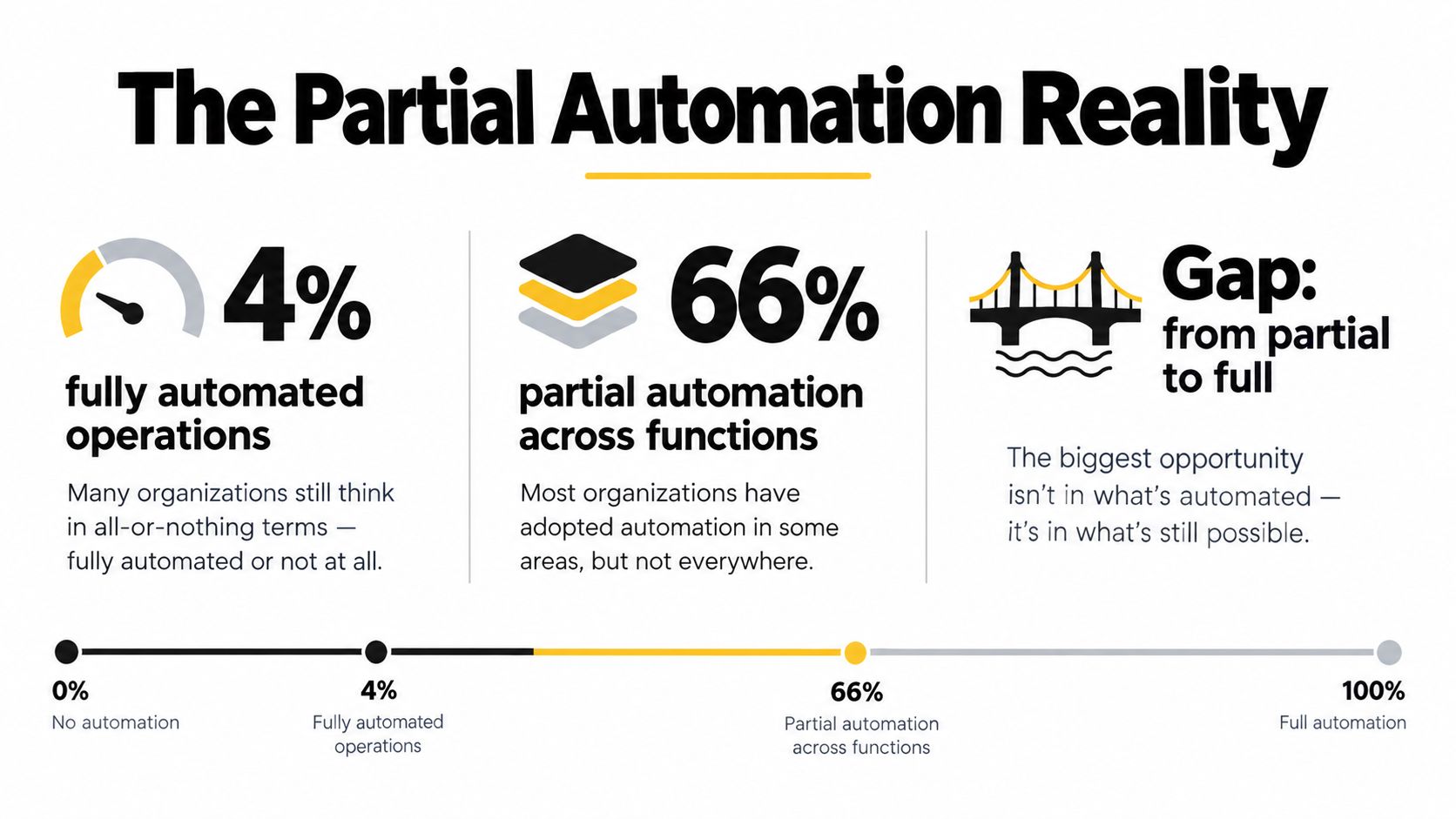
Only 4% of businesses have fully automated operations, while roughly 66% have partial automation. Custom workflow software helps teams move from fragmented, partly automated processes to reliable systems that connect tools, preserve human oversight, and add AI support where it improves decisions.
The situation is familiar. A lead arrives in one system, supporting documents sit in another, an approval waits in email, and a manager checks a dashboard that was updated manually. Each tool works well in isolation, but the operation still depends on people moving context from one place to another.
That's why the build-versus-buy question is too narrow. The better question is which workflows deserve full automation, which should remain partly manual, and where AI can support judgment without creating another disconnected tool.
Table of Contents
- The Partial Automation Reality
- Off-the-Shelf Platforms vs Custom Builds
- When Custom Workflow Software Creates Value
- From Discovery to Delivery, Building Your System
- Real Examples from Operational Teams
- Vendor Selection Checklist and Risk Mitigation
- Building Sustainable Operational Infrastructure
The Partial Automation Reality
Automation is rarely a switch that moves a company from manual to autonomous. Most operational teams live somewhere in the middle. They have automated notifications, data imports, approval steps, or document classification, but important exceptions still depend on people.
Independent sources cited in industry coverage report that only 4% of businesses have fully automated operations, while roughly 66% have some automation across multiple functions and about 62% remain in partial-implementation states (custom workflow optimization statistics). These figures point to a practical reality: partial automation isn't necessarily failure. It's often the correct design for workflows where context, judgment, or unusual exceptions matter.
Decide what should stay manual
A claims team might automate intake, document extraction, and routine routing while keeping settlement approval with an experienced adjuster. A private equity operating team might automate the collection and normalization of portfolio data but retain human review before a board report is issued. A real estate group might use AI to rank inbound leads, yet require a person to approve the next action for high-value opportunities.
The right decision depends on three questions:
- Exception rate: Does the workflow follow predictable rules, or do unusual cases dominate the work?
- Economic value: Is the time saved worth the cost of integration, monitoring, and maintenance?
- Risk and accountability: Can the business explain, review, and reverse the system's decisions?
Full automation works best for repetitive, bounded work with clear inputs and outputs. Partial automation works better when software can prepare the work, surface relevant context, and route the case while a human remains accountable for the final decision.
Practical rule: Automate the movement of information first. Automate judgment only when the business can define acceptable evidence, escalation rules, and review points.
Use custom software as the bridge
Point tools can solve isolated problems. A form can collect information, an automation platform can trigger a notification, and an AI service can summarize a document. The trouble starts when the operation needs all three to work together across a CRM, finance system, document repository, approval queue, and internal dashboard.
Custom workflow software provides the orchestration layer. It can preserve the useful parts of existing SaaS tools while adding the business-specific routing, exception handling, permissions, audit trail, and AI handoffs those products weren't designed to support.
The distinction matters for maintainability. A collection of fragile automations may work while one person remembers how every connection behaves. A custom system can make ownership explicit, record failures, expose queue status, and give operators a working surface designed around the process rather than around a vendor's feature menu.
Off-the-Shelf Platforms vs Custom Builds
Off-the-shelf workflow platforms win when the process is simple, stable, and close to a standard pattern. A SaaS automation tool can connect a form to an email, create a task after a status change, or route a straightforward approval without requiring a development team.
Custom workflow software earns its place when the process crosses systems, contains business-specific rules, or needs AI to operate inside an auditable workflow. A custom build doesn't automatically produce a better outcome. It creates more control, but also creates responsibility for architecture, testing, monitoring, security, and future changes.
The workflow automation market provides useful context. One estimate valued it at USD 23.77 billion in 2025 and projected it to reach USD 40.77 billion by 2031, with a projected 9.41% CAGR from 2026 to 2031 (workflow automation market statistics). The same estimate reports that cloud deployment represented 62.15% of the market in 2025 and software platforms represented 66.55% of spending. The market is mature enough to offer strong building blocks, but buyers still need to decide where generic capability ends.
A practical comparison
| Criteria | Off-the-Shelf Platform | Custom Workflow Software |
|---|---|---|
| Integration depth | Connects supported applications through standard connectors and APIs | Connects legacy systems, internal services, APIs, documents, and bidirectional data flows |
| Customization flexibility | Configuration within predefined screens, triggers, and rules | Interfaces, logic, permissions, queues, and exception paths designed around the operation |
| AI capability | Built-in features or add-ons with limited control over context and handoffs | AI classification, routing, summarization, prediction, and review steps embedded in the workflow |
| Total cost of ownership | Lower initial effort, with ongoing subscription and workaround costs | Higher build responsibility, with more control over recurring process costs and vendor dependency |
| Operational independence | Teams depend on platform limits, pricing, connectors, and vendor updates | Teams own the code, documentation, deployment decisions, and workflow behavior |
Choose based on the shape of the work
Buy when the workflow has few systems, limited exceptions, and a known operating pattern. For example, an internal request form that creates a ticket and sends a confirmation probably doesn't need a bespoke platform.
Build when the business needs a single working surface across several tools, when operators need to correct or replay failed tasks, or when AI outputs must be reviewed against company policy. A custom application can show the source documents, extracted fields, confidence signals, approval history, and next action in one place.
A useful decision framework is outlined in this build versus buy comparison for AI tooling. The key is to evaluate the complete operating model, not just the first version. A cheap automation that creates recurring reconciliation work may cost more than a deliberate build once the team accounts for exceptions, support, and ownership.
When Custom Workflow Software Creates Value
Custom software creates value when it removes a recurring operational constraint that generic tools can't address cleanly. The constraint usually appears as a chain of handoffs rather than a single missing feature.
A sales team may receive inquiries through a website, email, partner portal, and referral channel. Operations staff then copy details into a CRM, check availability in another system, ask a manager for prioritization, and prepare a response. The work is not difficult because any individual step is complex. It is difficult because context gets lost between steps.
Replace handoffs with a working surface
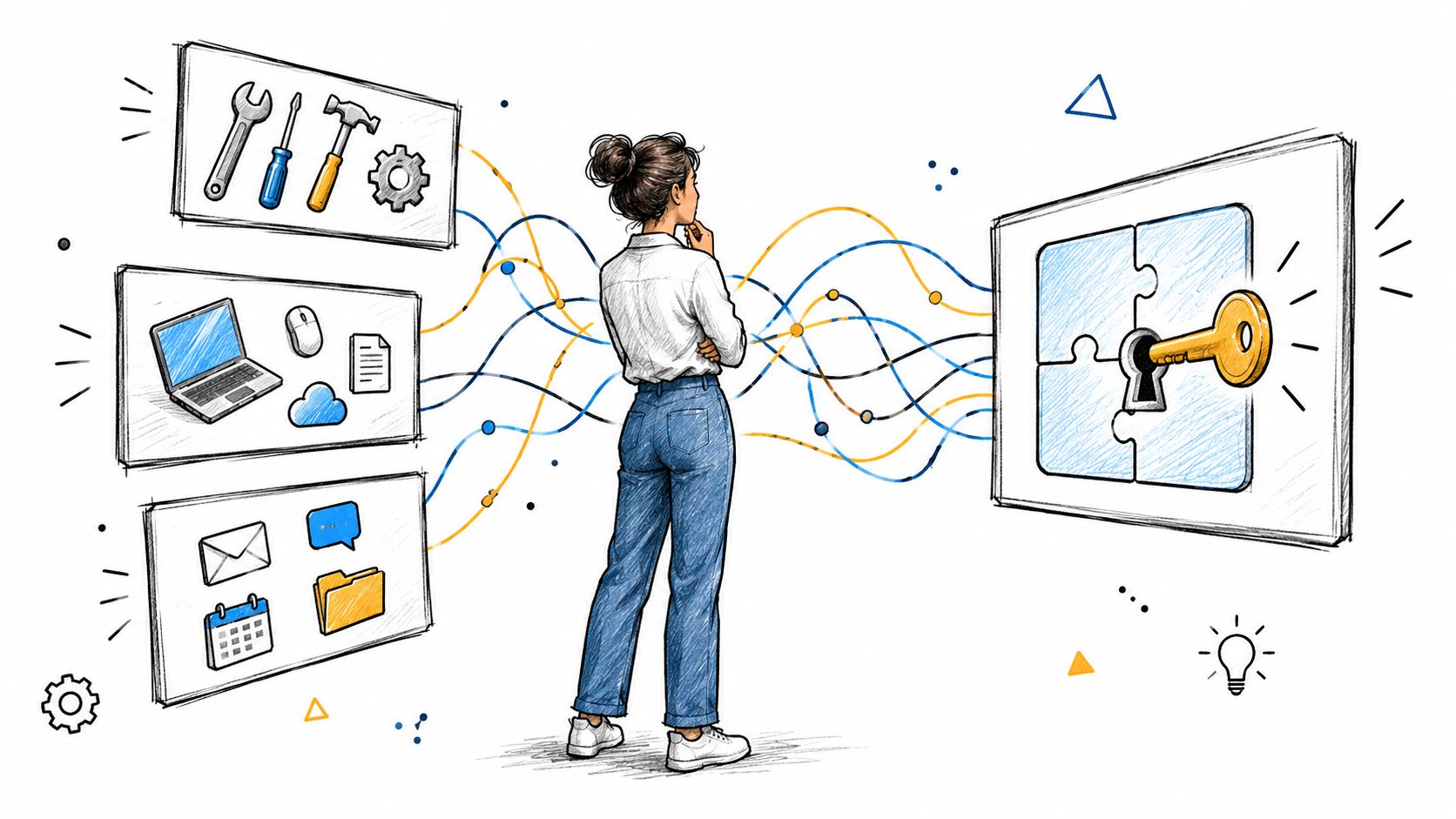
A custom system can ingest the inquiry, extract relevant information, match it against existing records, assign a priority, and present the operator with a complete review screen. The operator doesn't need to search across several applications or trust a hidden automation. They see what the system found, what remains uncertain, and which action requires approval.
This pattern also applies to insurance operations. A claims dashboard can bring together intake information, policy details, correspondence, missing documents, and task status. The system can classify the claim and suggest a route, while a specialist handles exceptions or confirms a consequential decision. An example of this type of operational design is shown in the insurance operations dashboard project.
Make automation observable
Fragile scripts fail without warning. A data transfer may stop after a field changes, an API response may be incomplete, or a duplicate record may enter the process without anyone noticing. Reliable orchestration needs task-level retries, failure isolation, alerts, and a clear way to inspect what happened.
Research on workflow reliability describes a design that decomposes end-to-end reliability into task-level constraints and combines orchestration with container and pipeline automation. The study reports improvements in throughput, fault detection, recovery, test coverage, defect detection, and deployment reliability compared with manual processes (research on reliable cloud workflow automation). The operational lesson is straightforward: recovery logic belongs in the architecture, not in a later patch.
Add AI where ranking helps people
AI is most useful when it prepares decisions rather than pretending every decision is deterministic. A workflow can classify incoming requests, summarize a long case file, identify missing information, score potential delays, or rank a queue for review.
Research on AI-enabled decision support links these systems with decision-making efficiency, adaptability, situational awareness, explainability, and confidence, with operational gains centered on areas such as process efficiency, risk management, resource efficiency, and resilience (review of AI-enabled decision support systems). That supports a controlled pattern: AI proposes, the workflow records the evidence, and an operator approves, edits, or rejects the recommendation.
From Discovery to Delivery, Building Your System
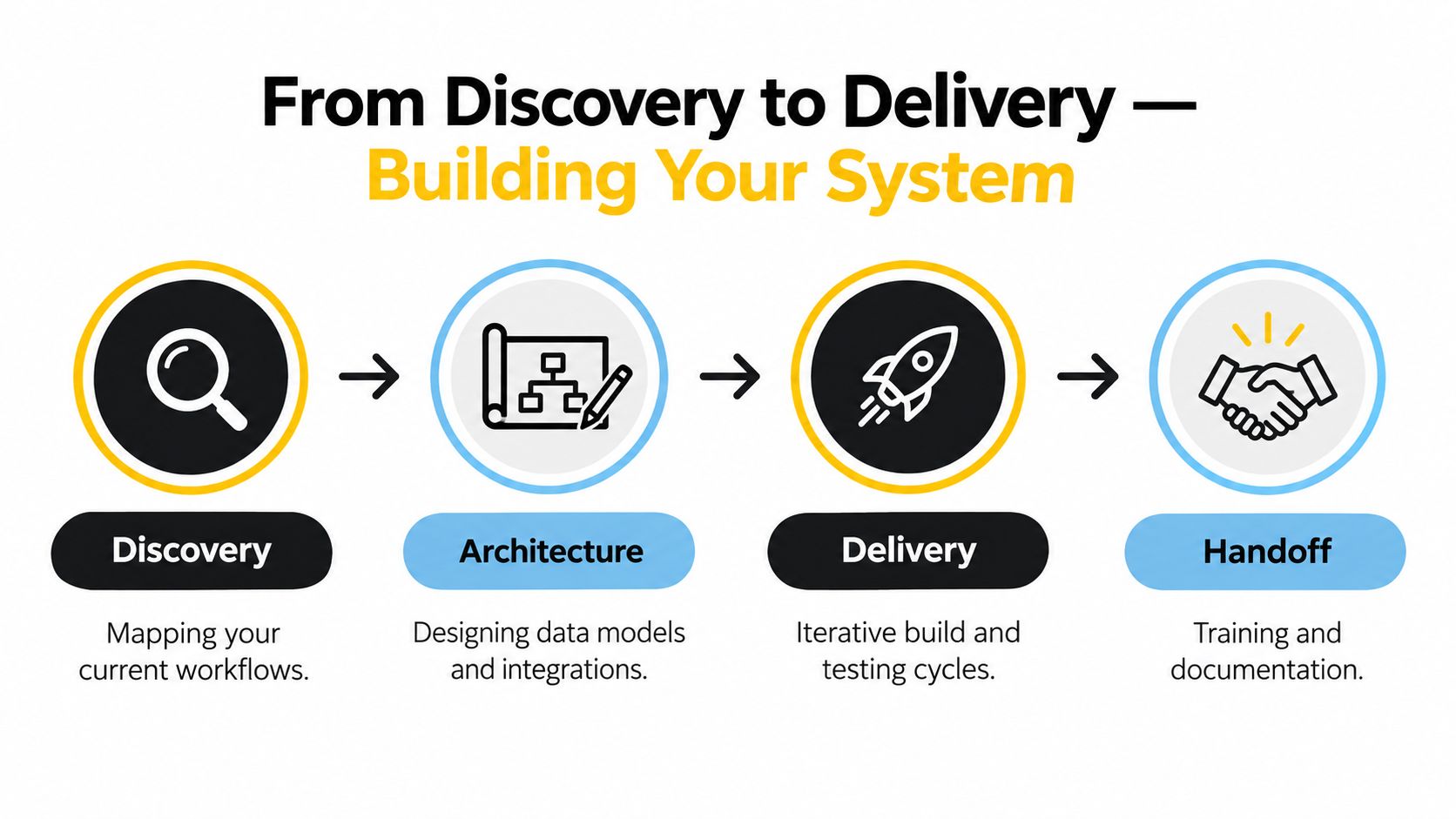
A custom build becomes predictable when the team separates diagnosis from implementation. Starting with screens and features before understanding the workflow usually produces a polished version of the wrong system.
1. Discovery
Begin with the work as it happens, not as it appears in a process document. Follow a request from intake to completion. Record who touches it, which systems they open, what information they re-enter, where approvals wait, and what causes rework.
A useful discovery output identifies the three highest-ROI builds and one workflow to avoid. The workflow to avoid matters. Some processes have too many exceptions, unclear ownership, poor source data, or insufficient volume to justify a custom system. A credible partner should be willing to recommend against building when the trade-off is weak.
2. Architecture
The architecture phase turns observations into a buildable model. It should define the systems of record, integration boundaries, user roles, data flows, event triggers, approval points, AI services, and failure paths.
For an AI-assisted intake system, the architecture should answer practical questions:
- What enters the system: Which documents, messages, records, or events initiate work?
- What does AI do: Does it classify, extract, summarize, rank, or recommend?
- What happens when confidence is low: Does the case pause, escalate, or follow a separate manual route?
- How is the decision recorded: Can an operator see the input, recommendation, override, and final outcome?
- How does recovery work: Can the system retry, replay, or safely compensate for a failed step?
Modern architecture choices affect both responsiveness and operating cost. A 2026 study reports that event-driven designs reached 99.99% uptime versus 97.5% in traditional systems, asynchronous processing reduced response latency by 75%, and infrastructure costs fell 25% to 30% in its analysis. It also reports 99.7% transaction integrity with saga-based compensation and 92% automated recovery success during infrastructure failures (study of modern workflow automation patterns). These figures are study-specific, not a guarantee for every build, but they show why architecture deserves attention before implementation.
3. Delivery
Build in short cycles with visible weekly progress. Each cycle should produce something operators can inspect, test, and challenge. Start with the narrowest useful path, then add exception handling, permissions, reporting, and AI assistance as the workflow proves itself.
Testing should include ordinary cases, incomplete inputs, duplicate records, service failures, rejected approvals, and manual overrides. A workflow that works only when every dependency responds perfectly isn't production-ready.
4. Handoff
Handoff is part of delivery, not a ceremony at the end. The client team should receive the code, documentation, workflows, operating instructions, access details, and a clear explanation of how to diagnose failures.
Training should use real operating scenarios. An administrator should know how to change a routing rule, an operator should know how to correct an extracted field, and a manager should know how to review AI recommendations and audit history. Independent operation is the test of a successful custom build.
Real Examples from Operational Teams
The strongest custom workflow examples begin with a specific bottleneck, not a desire to “add AI.” The system earns its place by making a difficult operational decision easier to prepare, review, and complete.
M&A and private equity operations
An operating team may collect reports from portfolio companies in inconsistent formats and spend significant effort preparing comparable information for review. A custom system can ingest submissions, classify documents, extract recurring fields, flag missing data, and present exceptions in a review queue.
AI can summarize changes between reporting periods or identify language associated with potential operational risk. The human team still validates the findings, but it starts with a ranked set of issues rather than an unstructured document pile.
Insurance claims
Claims handling combines structured policy data with unstructured correspondence, images, and supporting documents. A custom workflow can classify new claims, identify missing evidence, route cases by type, and summarize the current state for an adjuster.
AI-assisted routing is valuable here because it reduces repetitive intake work without forcing the system to make an irreversible settlement decision. The review screen should show the documents and extracted evidence that led to the proposed route.
Real estate transactions
A real estate team may manage inquiries, property details, viewings, documents, follow-ups, and status changes across separate tools. A custom workflow can capture the lead, enrich the record, score urgency, assign ownership, and trigger the next action based on availability and deal stage.
The real estate lead automation project illustrates the type of focused workflow where classification, routing, and follow-up logic can replace scattered manual coordination.
Solar project coordination
Solar projects often involve site information, proposals, permitting, vendors, installation milestones, and customer communication. A custom system can surface stalled tasks, route document requests, and alert managers when a dependency threatens the next stage.
Delay prediction can help prioritize attention, but it should be treated as decision support. A project manager needs to see which missing document, vendor response, or milestone caused the risk signal before deciding how to intervene.
Wealth management
Portfolio oversight combines account data, client preferences, market information, compliance requirements, and internal review. A custom dashboard can give advisors a consolidated view of exceptions, pending actions, concentration concerns, or client events.
AI can summarize account activity and rank items for review. It should not obscure the source of the recommendation or remove the advisor from decisions that require suitability, compliance, or client context.
Across these examples, the pattern is consistent. The system handles intake, movement, preparation, and prioritization. People retain control where the cost of a wrong decision is high or the context cannot be reduced to a rule.
Vendor Selection Checklist and Risk Mitigation
A capable custom software partner should make the work more understandable as the project progresses. If meetings produce more ambiguity, the engagement is already carrying implementation risk.
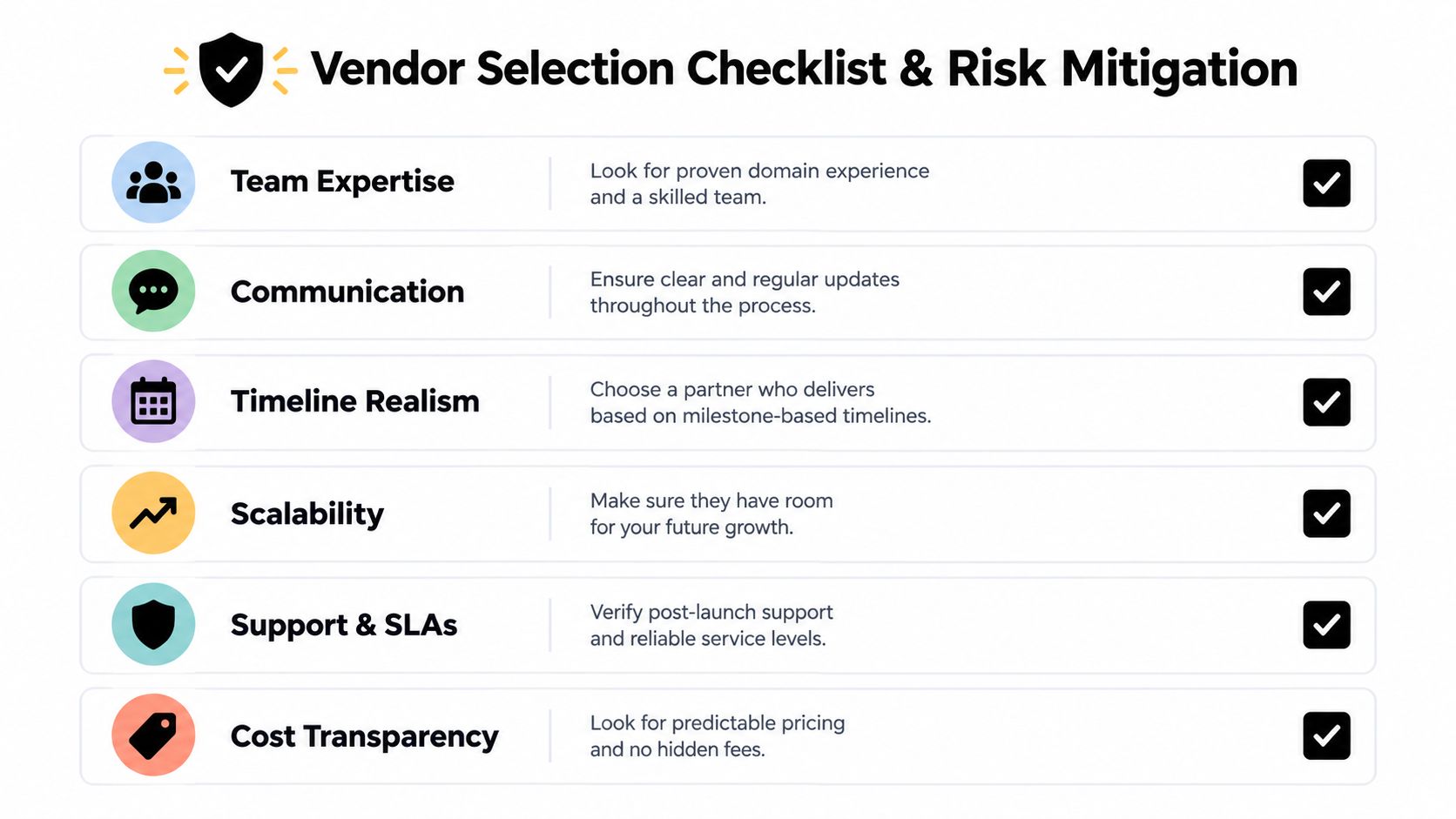
What to check before signing
- Team seniority: Confirm who will design the architecture, write the core system, and attend working sessions. A vendor that sells senior expertise but assigns the work to an opaque delivery layer creates unnecessary risk.
- Communication cadence: Require clear progress updates, decisions, blockers, and demonstrations. Weekly visibility makes it possible to correct direction before a large amount of work is sunk.
- IP ownership: Confirm that your organization receives the code, documentation, workflows, and relevant deployment knowledge at handoff.
- Architecture approach: Ask how the system will handle retries, permissions, audit history, integrations, AI review, and changing requirements.
- Post-handoff support: Define what happens after launch. Support may include incident response, maintenance, training, or a limited transition period, but the client shouldn't be trapped by missing knowledge.
- Pricing model: Use fixed pricing when the scope is clear. When the process is unclear, pay for discovery rather than forcing a premature fixed quote.
Match risks with controls
Scope ambiguity creates uncontrolled changes and conflicting expectations. Mitigate it with a written workflow definition, acceptance criteria, and a prioritized first release.
Integration complexity appears when systems have incomplete APIs, inconsistent records, or undocumented business rules. Mitigate it through an architecture audit and early testing against real data.
AI reliability concerns arise when teams treat generated output as authoritative. Mitigate them with confidence thresholds, human review, source visibility, logging, and explicit fallback routes.
Knowledge transfer gaps leave internal operators dependent on the vendor. Mitigate them with documentation, training, administrator access, and a handoff test based on real failure scenarios.
Change resistance can undermine a technically sound system. Mitigate it by involving operators in discovery, demonstrating progress early, and preserving sensible manual controls where they reduce risk.
Red flags include account-manager-heavy delivery, vague answers about code ownership, no access to working prototypes, pressure to automate every step, and a refusal to recommend against a low-value build.
Building Sustainable Operational Infrastructure
Custom workflow software should become part of how the business operates, not another application employees must remember to check. Its value grows when integrations remain dependable, decision history stays available, and the system reflects the way the team works.
The partial-automation reality makes this a design problem rather than a race toward autonomy. Some tasks should run without intervention. Others should be prepared by software and reviewed by a person. AI agents can support routing, planning, and policy-aware task handling, but they need defined boundaries, observable actions, and a clear owner.
Research on AI agents identifies business applications concentrated in strategy, operations, and human resource management, while also distinguishing technical, organizational, and hybrid ways of understanding these systems (scoping review of AI agents in business). That fits the practical operating model: an agent is not merely a chat interface. It can be an operational component that prepares work, follows approved rules, and escalates uncertainty.
The durable advantage comes from accumulated process knowledge. Each reviewed exception improves the workflow definition. Each corrected AI recommendation reveals a governance requirement. Each integration removes another manual transfer. Over time, the organization gains a system that helps people decide faster without hiding how decisions were made.
The right first step is to map one recurring workflow, identify the expensive handoffs, and decide where human judgment must remain. Build only after that decision is clear, and make independent operation a requirement from the beginning.
Internal Systems designs and builds custom software, integrations, operational automation, and AI-powered workflows for teams that need to replace fragmented processes with dependable internal infrastructure. Review your highest-friction workflow and visit Internal Systems to explore an Operations Diagnostic, Audit, or custom system build.