Business Process Optimization for Growth-Stage Firms
Master business process optimization with custom software and AI workflows. Learn frameworks, ROI roadmaps, and pitfalls to avoid for founder-led firms.
Most business process optimization advice starts with the wrong prescription: automate the most repetitive task first. That sounds practical, but it often produces a faster version of a broken process. A sales handoff still loses information, finance still waits for context, operations still reconciles conflicting records, and the founder remains the person everyone asks when an exception appears.
For a growth-stage firm, optimization is rarely about making one task marginally faster. It's about replacing manual, cross-tool work with an internal system that connects decisions, data, approvals, and accountability. The best build usually begins by removing unnecessary work, synchronizing what remains, and only then applying workflow automation or AI where the rules and context are clear.
Table of Contents
- Why Most Optimization Efforts Start in the Wrong Place
- Measuring the Impact of Process Optimization
- Frameworks and Methods for Operational Teams
- An ROI-Oriented Roadmap from Diagnostic to Handoff
- Sector Examples for Founder-Led Firms
- Deciding Between DIY and Vendor Engagement
- Pitfalls That Cause Optimization Projects to Fail
Why Most Optimization Efforts Start in the Wrong Place
The popular starting point is easy to understand. Teams notice copy-paste work, repetitive approvals, or a queue of requests, then ask whether software can automate it. The problem is that repetitive work is often only the visible symptom. The true constraint sits between functions, where one team's output becomes another team's incomplete input.
A founder-led company can operate informally for a long time. Sales knows what a customer needs, finance knows which terms matter, delivery knows what can be promised, and the founder resolves the gaps. As the company grows, that shared context fragments. A custom application that automates one department's task may preserve the fragmentation at higher speed.
Practical rule: Optimize the decision path before optimizing the individual task.
Start with the end-to-end outcome. For customer onboarding, that might mean a signed contract becomes a fully configured account with billing, delivery, and customer communication ready to proceed. Map every system involved, every decision point, and every place where a person re-enters data or waits for clarification. Then ask which steps can disappear, which dependencies can run in parallel, and which data should have one authoritative owner.
The cross-functional diagnostic
GBTEC's 2025 Global Process Excellence and AI Readiness Report found that in half of organizations, business processes aren't aligned with value-driving functions such as customer experience, enterprise architecture, data governance, and compliance. The same report identifies weaknesses in process discovery, process design, and system alignment as important blockers.
That finding changes the build order. If customer onboarding depends on sales, finance, implementation, and support, the first deliverable shouldn't be a sales automation. It should be an architecture for the handoff, including shared records, ownership rules, exception paths, and status visibility.
For firms in the $500K–$20M revenue range, ROI usually lives here. The company has enough volume for recurring manual work to matter, but often lacks the process architecture of a larger enterprise. A unified internal system can reduce duplicate entry, shorten decision queues, and give leaders a reliable operating view without forcing every team into a massive platform replacement.
Eliminate, synchronize, automate
Use this sequence:
- Eliminate: Remove approvals, notifications, fields, and reconciliation steps that add no decision value.
- Synchronize: Connect existing tools and make critical data available at the moment another team needs it.
- Automate: Apply deterministic workflows to stable, repetitive work.
- Augment: Use AI for classification, summarization, routing, and decision support where human judgment still matters.
Automating before this sequence creates technical debt and operational debt at the same time. It locks unclear ownership into code, hides exceptions inside brittle logic, and makes later redesign more expensive.
Measuring the Impact of Process Optimization
The strongest business case does not come from the number of tasks an automation performs. It comes from the operating path it improves. Measure the full route from trigger to completed outcome, including queue time, rework, exception handling, and the effort required to move information between systems.
Founders usually care about three outcomes: lower recurring operating cost, faster decisions, and fewer manual handoffs. Those outcomes become measurable when the process has a defined owner, a clear starting point, and an agreed completion condition.
Research summarized in Formstack's workflow automation analysis reports that about 50% of all work can be automated, while 31% of businesses had automated at least one function. The same analysis reports that 62% had identified three or more major inefficiencies or bottlenecks that automation could address, and estimates that 60% of employees could save 30% of their time through workflow automation.
Treat those figures as a screening signal, not a forecast. A high-volume workflow with stable rules and visible handoff delays usually deserves attention before an infrequent process that depends on nuanced judgment. For a founder-led firm that has outgrown spreadsheets, the first question is often whether the process crosses functions cleanly, not whether one department can automate its own task.
Measure time deltas, not automation counts
An experimental study of low-code automation using n8n recorded average processing time falling from 185.35 seconds manually to 1.23 seconds automatically, an approximately 151× reduction (study PDF). That result applies most directly to copy-paste, routing, data-transfer, and status-update work. It does not predict the outcome of a workflow with ambiguous inputs, approval queues, or external dependencies.
Track these measures before and after the change:
- Cycle time: The complete duration from request to outcome.
- Active processing time: The time people spend performing the work.
- Waiting time: The time work sits between teams or approvals.
- Exception rate: How often the standard path breaks.
- Decision latency: The time a manager or founder needs to resolve an issue.
- Maintenance load: The time spent correcting, supervising, or updating the automation.
| Method | Typical Time Savings | Best Applied When |
|---|---|---|
| System integration | Reduces repeated transfer and reconciliation | Multiple tools hold related records |
| Rule-based automation | Can remove substantial handling time from stable tasks | Inputs, routing, and approvals follow clear rules |
| Custom internal software | Improves the complete operating path | Work crosses functions and needs a shared working surface |
| Generative AI | Saves time on language-heavy or judgment-support tasks | Teams classify, summarize, route, or review information |
| Process redesign | Reduces waiting and dependency delays | Work is serial, approval-heavy, or structurally unclear |
For generative AI, a Federal Reserve Bank of St. Louis analysis of a November 2024 survey reported that users saved an average of 5.4% of weekly work hours, equivalent to about 2.2 hours in a standard 40-hour week. Reported savings varied: 20.5% saving four hours or more, 20.1% saving three hours, 26.4% saving two hours, and 33.0% saving one hour or less.
A practical example is Internal Systems' real-time lead scoring project, where the value should be assessed through routing speed, follow-up consistency, and decision latency, not the existence of a scoring feature alone. AI should have a narrow operational target. Summarizing inbound requests and routing them to the correct owner can be useful. Asking an agent to “run operations” without structured context, permissions, and escalation rules creates control risk.
Estimate ROI by comparing current weekly handling effort, rework, and delay with the expected future state. Build only when the process has a clear owner, a measurable baseline, and recurring friction that justifies the system's maintenance.
Frameworks and Methods for Operational Teams
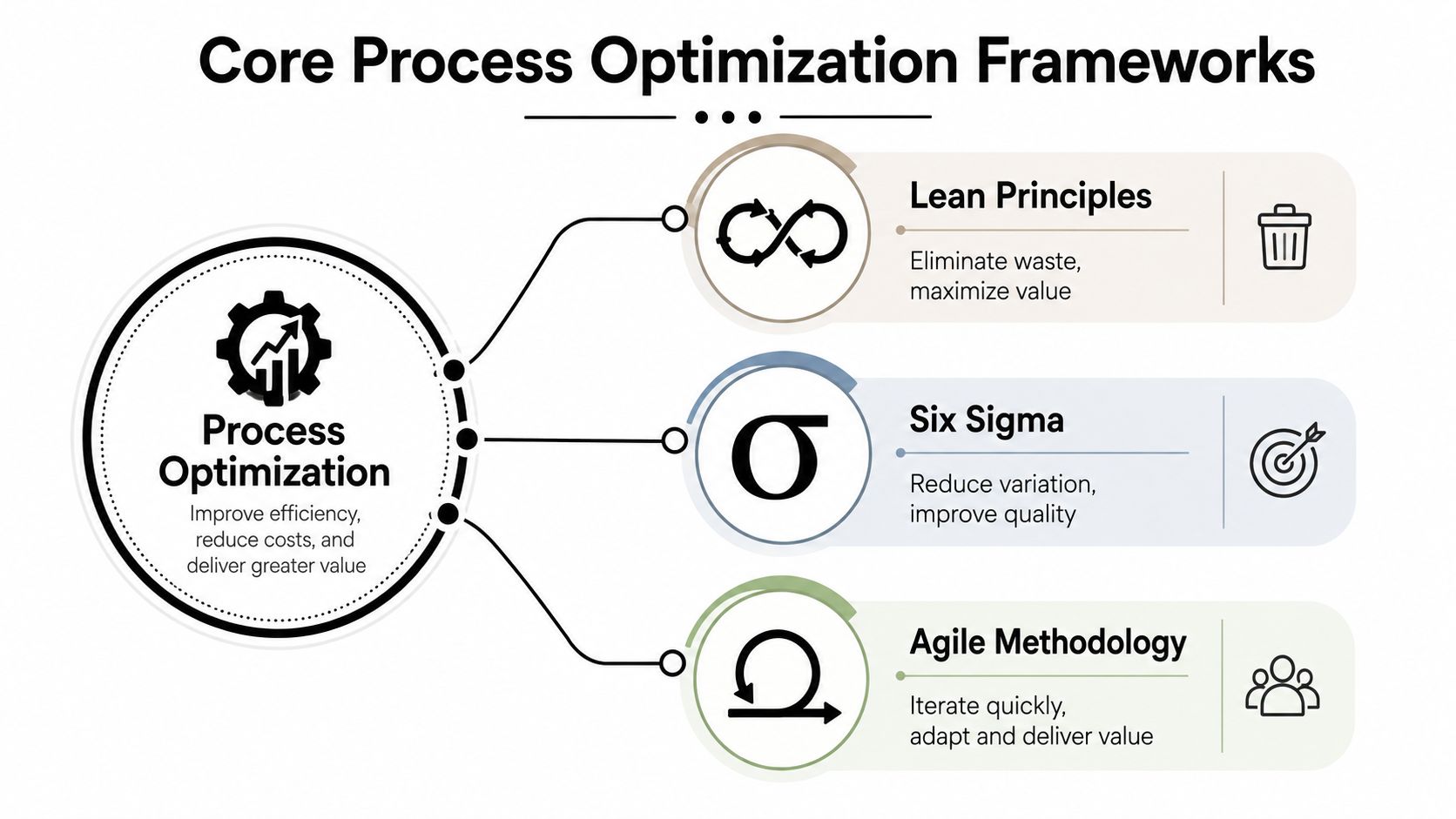
Operational teams don't need to choose one methodology and apply it everywhere. They need a way to match the method to the failure mode. Lean helps remove unnecessary work, value stream mapping exposes waiting and handoffs, Six Sigma helps control variation, and Agile delivery keeps custom software close to real operating conditions.
Diagnose the shape of the problem
Use value stream mapping when departments disagree about the bottleneck. Put the full workflow on one page, from the initial request to the final outcome. Mark every system, owner, approval, wait state, and rework loop. The map often shows that the work itself is quick, while the queues between steps consume the operating day.
Use Lean when the map reveals redundant review, duplicate entry, unnecessary notification, or work that exists only because a previous system is incomplete. For example, if an account manager copies contract details into an implementation tool, eliminate the second entry by integrating the systems or creating a single internal working surface.
Use Six Sigma techniques when the problem is inconsistent output rather than slow execution. An AI workflow that classifies insurance submissions should be measured against misroutes and escalation quality, not just processing speed. If the data isn't reliable, build instrumentation before trying to optimize the model.
Select the right technical intervention
A system integration fits when the process is sound but the tools don't share data. A bidirectional connection between a CRM, billing system, and delivery platform can remove manual transfer without replacing any of them.
Operational automation fits when the task is repetitive and rules are stable. Examples include creating an implementation project after a signed agreement, assigning an approval based on contract attributes, or notifying a responsible owner when required information is missing.
AI-powered workflows fit where the input is unstructured or the decision needs assistance. A language model can summarize a customer request, classify a document, extract relevant fields, and propose a route. It should still pass uncertain cases to a person and record the reasoning inputs needed for review.
Build the smallest complete path, not the smallest isolated feature.
Process redesign can also reduce cycle time by running independent tasks in parallel and re-sequencing work to minimize dependencies. In one process-optimization study, the largest reported gains reached a 45% decrease in cycle time (research paper). The technical lesson is straightforward: redesign the sequence before adding more automation.
For teams that need a practical operating reference, cost-cutting with process standardization is useful when the same work is performed differently across people or locations. Standardization gives integrations and AI workflows a reliable process to support instead of forcing software to interpret every local variation.
An ROI-Oriented Roadmap from Diagnostic to Handoff
A process optimization engagement should produce decisions, not a long document that nobody uses. For founder-led firms, a four-phase path keeps the work tied to buildable outcomes and makes the handoff explicit from the beginning.
Phase one is the diagnostic
The diagnostic identifies the three highest-ROI builds and one process to avoid. It should capture where teams lose time, where decisions stall, which systems contain relevant data, and which workflows depend on founder intervention. The “avoid” recommendation matters because some processes are too unstable, exception-heavy, or low-volume to justify custom software.
The output is a prioritized hypothesis, not a technical specification. A good diagnostic might recommend a cross-functional onboarding system, an AI-assisted request router, and an operations dashboard, while rejecting automation of a constantly changing bespoke approval process.
Phase two is the audit
A focused one-to-two-week audit turns the hypothesis into an implementation plan. It should produce:
- An ROI ranking: The expected operational value and the assumptions behind it.
- An architecture document: Systems, data ownership, integrations, permissions, AI boundaries, and failure handling.
- A build sequence: The dependency order, so foundational data and workflow changes arrive before advanced features.
- A baseline: Current cycle time, active effort, waiting points, exception patterns, and decision latency.
Fixed-price scoping works when the audit has made the boundaries clear. If the process is still disputed or undocumented, paid discovery is safer than pretending the scope is known.
Phase three is the build
A custom system build typically runs 60–90+ days, with the exact duration depending on scope and dependencies. The deliverable may include an internal tool, dashboard, admin panel, operations software, system integrations, reliable orchestration, and AI-assisted workflow components.
Ship in short cycles with visible weekly progress. Test real cases early, especially incomplete records, conflicting data, rejected approvals, and unusual requests. A polished happy path isn't production readiness.
Phase four is the handoff
Handoff means more than transferring login credentials. The client should own the code, documentation, workflows, permissions, monitoring, and operating procedures. The internal team needs to know how to update rules, inspect failures, manage prompts, and escalate issues.
Internal Systems follows this diagnostic, audit, build, and handoff model for custom software and AI-enabled workflows, with fixed pricing after scope is defined and client ownership at delivery.
The handoff decision gate is simple: can the operating team run the system without relying on the original builder for ordinary changes? If not, the project isn't finished.
Sector Examples for Founder-Led Firms
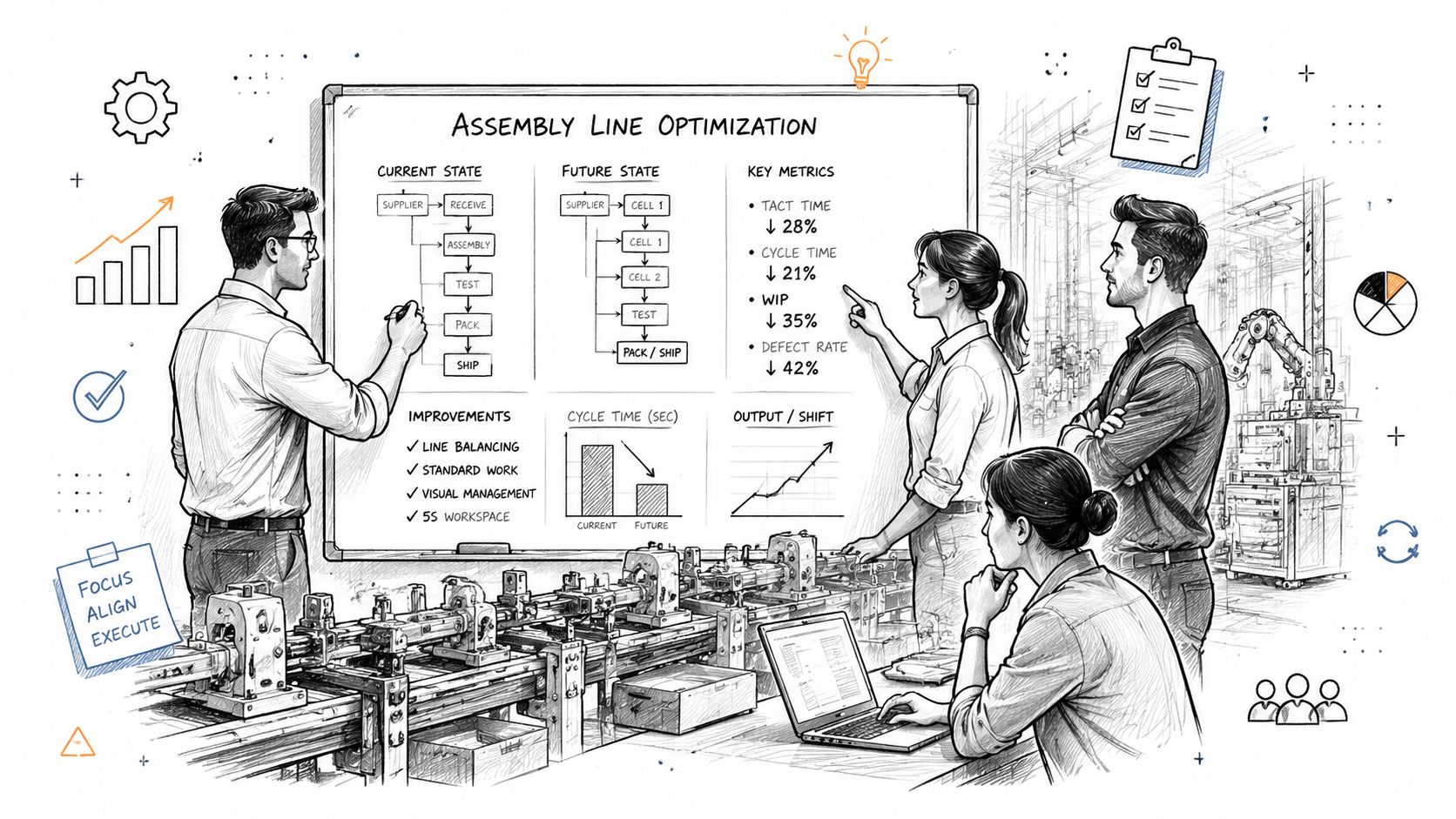
The workflow changes by sector, but the failure pattern stays familiar. Information enters through one channel, gets copied into several tools, waits for a person with context, and eventually reaches a founder or senior operator for resolution.
M&A and Private Equity operations
A portfolio company may collect operating data from finance, sales, delivery, and local business units in different formats. Before optimization, the operating partner spends time requesting updates, reconciling definitions, and asking managers to explain anomalies.
The better build is a shared reporting layer with explicit data ownership, ingestion workflows, exception queues, and an AI assistant that summarizes changes for review. The AI doesn't replace the operating partner's judgment. It reduces the time required to find the relevant facts and route the right question to the right owner.
Insurance and real estate
An insurance operations team may receive submissions as emails and attachments, then retype fields into internal systems. A real estate team may coordinate property, tenant, vendor, and maintenance information across disconnected tools. In both cases, custom software can extract structured fields, validate required information, route work by rules, and send uncertain cases to a human reviewer.
An insurance operations dashboard can provide a single view of queue status, missing information, owner workload, and escalation age. The key outcome isn't merely fewer keystrokes. It's earlier visibility into work that would otherwise remain hidden in inboxes.
Wealth management and B2B SaaS
A founder or senior adviser often becomes the escalation path for exceptions, unusual client requests, or accounts that don't fit standard routing. A decision-support workflow can summarize the request, identify relevant account context, propose an owner, and surface the unresolved decision in a dashboard.
For B2B SaaS, the same pattern applies to lead qualification and customer risk. A custom workflow can combine signals from existing systems, score or classify the request, and route it for review while preserving an audit trail. The system should make the decision faster without hiding the inputs behind an opaque recommendation.
Solar, energy, and aviation teams face different operational data and compliance conditions, but the architecture principle is consistent. Connect the source systems, standardize the decision points, automate repeatable movement, and reserve human attention for ambiguity.
Deciding Between DIY and Vendor Engagement
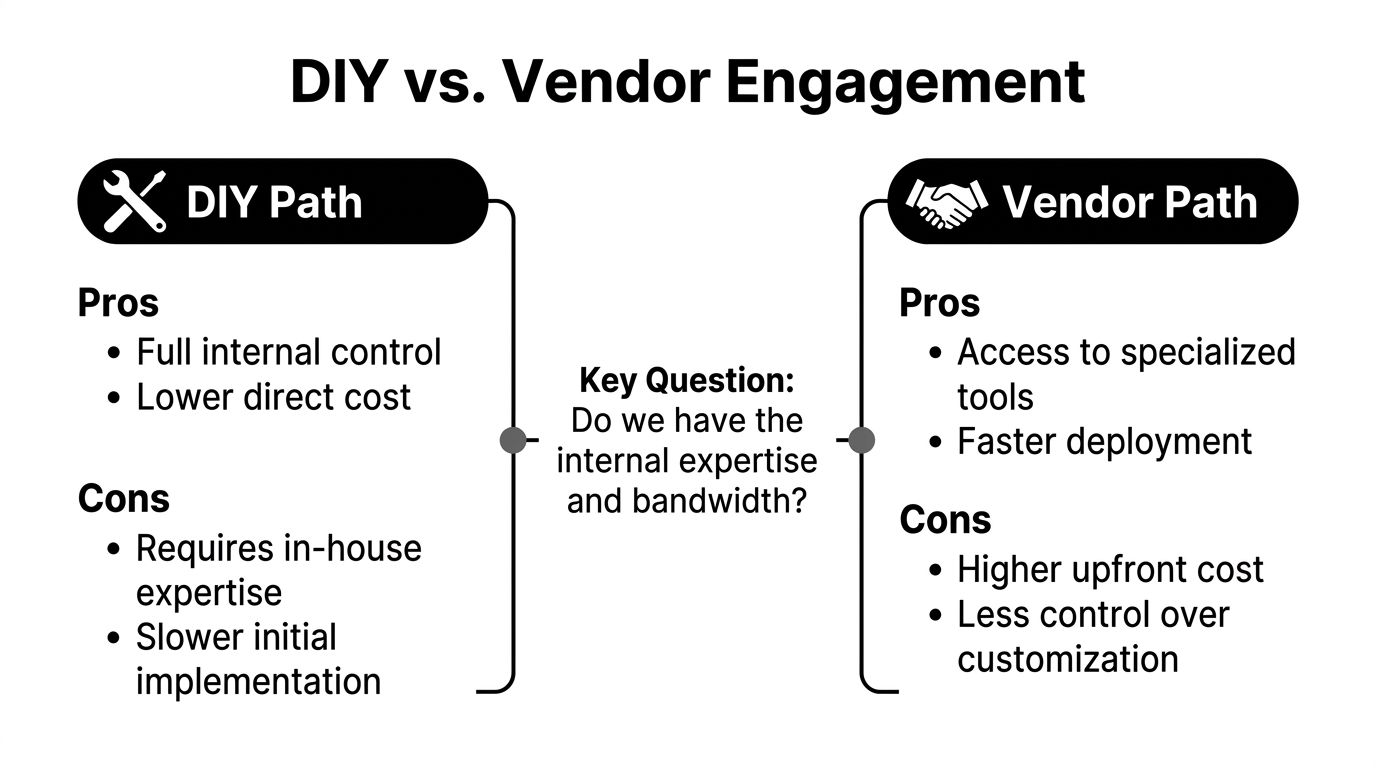
DIY is sensible when the workflow has a clear owner, the team has available engineering capacity, the data sources are accessible, and the company can support the system after launch. It's less sensible when the project crosses departments, requires production AI or ML operations, or competes with revenue-critical engineering work.
A vendor adds value through a small senior team, consistent technical leadership, and specialists for infrastructure, data engineering, and ML operations. That can shorten the path from process ambiguity to a working system, but it also creates a dependency unless the engagement includes documentation, code ownership, training, and a deliberate handoff.
Make the decision on clarity and capacity
Choose DIY when:
- The process is stable: Rules and ownership are already understood.
- The team has bandwidth: Internal builders can maintain the system after launch.
- The technical surface is narrow: The work doesn't require difficult integrations, permissions, orchestration, or model monitoring.
- The opportunity cost is acceptable: The project won't displace more valuable product or customer work.
Choose a vendor when the process needs discovery, the architecture spans multiple systems, or the company needs a short build cycle with weekly evidence of progress. Avoid vendors that offer free specification work, run too many concurrent projects, or make handoff an afterthought.
Some teams first reduce administrative load with Latin American virtual assistants while they stabilize process ownership and gather baseline data. That can be useful for temporary capacity, but it doesn't replace integration, orchestration, or a durable internal system when the underlying workflow crosses functions.
The pricing model should follow certainty. Use fixed price when the audit defines scope and acceptance criteria. Use paid discovery when stakeholders disagree about the current process or when the architecture is still unknown. A paid starter engagement can test working fit without committing to a full build.
Before choosing, compare the paths in build versus buy AI tooling against your actual constraints, not a generic preference for control or speed.
Pitfalls That Cause Optimization Projects to Fail
The largest risk isn't failing to automate. It's automating a poorly understood process, then discovering that nobody owns the exceptions, the data definitions, or the system after launch.
Common failure modes are predictable:
- Wrong process selection: Teams choose a visible nuisance instead of a cross-functional bottleneck. Start with the complete outcome and rank opportunities by recurring effort, delay, decision value, and exception complexity.
- No baseline: Without current cycle time, waiting time, or rework data, the team can't distinguish a genuine improvement from a new interface. Record the baseline before building.
- Exception-heavy automation: Stable rules suit automation. Ambiguous work needs human review, clear escalation, and an AI workflow designed to expose uncertainty rather than conceal it.
- No production ownership: Assign a named owner for workflow rules, data quality, alerts, access, and model behavior. Document the response when a downstream system changes.
- Silent decay: Monitor failed runs, unusual queues, missing fields, and manual overrides. A system that worked during testing can degrade when inputs, teams, or policies change.
The maintenance burden deserves its own budget. The Work AI Index 2026 reported that AI automation saves digital workers roughly 11 hours per week, while workers spend an average of 6.4 hours per week on maintenance tasks for AI or automation systems. The lesson isn't to avoid AI. It's to build reliable orchestration, clear alerts, controlled permissions, and an owner who can resolve failures without becoming a permanent “botsitter.”
Process maturity comes before automation investment. If the workflow has no shared definition, no baseline, and no accountable owner, redesign it first. Then automate the part that remains stable.
Internal Systems designs and builds custom software, system integrations, operational automations, and AI-enabled workflows for teams that have outgrown disconnected tools. Start with the Internal Systems Operations Diagnostic to identify the highest-ROI builds, one process to avoid, and the next practical step toward a system your team can operate independently.