Business Process Mapping Playbook for Custom Software
A practical business process mapping playbook for custom software teams, covering scoping, diagrams, validation, and handoff to automation.
The most popular advice about business process mapping is to document how work should happen, then hand the diagram to engineering. That advice is incomplete. A polished diagram can still fail the first time a real ticket, webhook, approval exception, or incomplete client record enters the workflow.
For custom software and AI workflows, mapping is valuable only when it becomes a usable handoff artifact. It must show who acts, which system owns each fact, what happens when a rule fails, and what engineers or AI workflow designers should execute. The central risk is the documentation-to-execution gap, the distance between a process that looks complete in a workshop and the process people run.
That gap is not new. Business process mapping traces back to 1921, when Frank and Lillian Gilbreth presented the first structured flow process chart to the American Society of Mechanical Engineers. The American Society of Mechanical Engineers later standardized process-chart symbols in 1947. Celonis' history of process mapping shows why the discipline still matters: visualizing present conditions creates a basis for deciding what to change.
Table of Contents
- Why Mapping Comes Before Building Custom Software
- Setting the Scope, Objective, and Focal Entity
- Running Stakeholder Interviews and Capturing Current State
- Choosing Between Swimlanes, BPMN, and SIPOC
- Validating Maps With Metrics and Reviews
- Handing Off Maps to Automation and AI Workflows
- Audit, Build, or AI Workflow
Why Mapping Comes Before Building Custom Software
Custom software rarely fails because developers can't draw a flowchart. It fails because the team builds against an assumed workflow. Operations then encounters an approval that depends on context, a missing field, a duplicate record, or a handoff that exists only in someone's inbox. The application encodes the happy path, while staff rebuild the actual process through workarounds.
A map should act as the executable contract between operations and engineering. It doesn't need to predict every future requirement, but it must make current decisions inspectable. For each step, the delivery team should be able to identify the actor, input, output, system interaction, decision rule, and exception route.
Practical rule: If an engineer can't turn a map element into a user action, service interaction, event, validation, or explicit exception, the map isn't ready for implementation.
The gap between documentation and management is visible across the discipline. A 2026 global BPM survey found that 48% of 4,979 BPM professionals said their organizations lacked a defined business process improvement methodology. The survey findings from PrimeBPM also place that result beside independent industry material reporting that 73% of businesses have some form of process definition or documentation, while only 5% effectively measure and manage those processes. The numbers point to a practical problem, not a notation problem. Teams can produce diagrams without creating operational control.
What the map must force into the open
Before code locks in behavior, business process mapping should expose:
- Handoffs: Which role or service receives responsibility, and what evidence proves the transfer occurred?
- Data ownership: Which system is authoritative for the client record, approval status, or ticket state?
- Exception paths: What happens when an input is incomplete, a webhook arrives twice, or a reviewer rejects the request?
- Decision rules: Can the rule be expressed clearly enough for deterministic code, or does it require human judgment?
- Operational evidence: What event, timestamp, or audit record will show that the step happened?
This is the cheapest insurance a software team can buy because ambiguity costs more after implementation. The map should leave the workshop as a versioned artifact consumed by engineers, integrators, and AI workflow designers, not as a PDF that becomes stale in a shared drive.
Setting the Scope, Objective, and Focal Entity
A process map becomes useful to engineers only after its purpose and boundaries are fixed. Before opening a diagramming tool, answer three questions: why are we mapping this, where does it start and stop, and what moves through it? Without those answers, the map turns into an attractive inventory of departmental activity instead of a handoff artifact for software or an AI workflow.
Name one outcome
Set one operational objective. It might be reducing onboarding delays, removing duplicate entry between a CRM and an internal system, or making approval status visible to an AI agent. A qualitative objective can guide discovery, but custom software needs a measurable condition wherever the team can establish a baseline.
The objective also limits the map. If the build will automate approval routing, include the events and decisions that determine the route. Record sales activities outside that path as dependencies or context rather than diagramming the entire department.
Draw the boundary before the flow
Define concrete edges:
- Earliest event: What event enters the mapped process? A submitted form, inbound webhook, signed contract, or manually created request?
- Starting condition: What must already be true?
- Exit condition: What result exists when the process ends?
- Downstream dependency: Which team, API, queue, or AI workflow consumes that result?
- Excluded work: Which upstream and downstream activities remain outside the build?
A client-onboarding map could start when a signed agreement reaches the intake service and end when a verified client profile is available to the delivery system. Marketing qualification before signature and invoicing after profile creation may stay outside the boundary, even though both teams depend on the outcome.
Write the boundary as a contract between the sponsor and the delivery team. If the sponsor cannot approve the start and end conditions, engineers cannot know which behavior belongs in the first release.
Choose the focal entity
The focal entity is the object that changes as the process runs. It may be a client record, approval request, support ticket, or application package. That choice shapes swimlane labels, required fields, event names, status transitions, and integration contracts.
For an approval request, show its status changes, the roles permitted to make them, the evidence attached to each transition, and the route after rejection. Engineers can turn that structure into a clearer domain model than they can derive from a loose sequence of departmental tasks.
Keep the first map narrow enough to read without a workshop. Bozarth's process-improvement guidance supports defining boundaries and the focal entity before redesign. In practice, write one sentence the sponsor can approve: “This map starts when X arrives and ends when Y exists in Z.” If that sentence remains unclear, the scope is not ready for diagramming.
Running Stakeholder Interviews and Capturing Current State
A process map built from management's description can fail before development starts. Interview the people who perform the work, handle exceptions, and receive the result. A manager may describe the intended onboarding route, while a coordinator knows that missing identity documents trigger a private message, a second intake form, and a manual status change. The map must capture the execution path that custom software or an AI workflow will support.
Select participants by role coverage. Include the person who receives the trigger, performs the main work, handles exceptions, and consumes the output. Seniority provides authority and context, but it does not replace firsthand contact with the workflow. Include system owners when a status field, integration, or queue determines what happens next.
Record facts at every step
For each activity, capture:
- Trigger event: What starts the action?
- Actor: Which person, role, service, or AI component acts?
- System touched: Where does the action occur?
- Input and output: What enters the step, and what does it produce?
- Decision rule: What condition determines the next route?
- Exception path: What happens when the normal condition fails?
- Elapsed time: How long does the step take, including waiting?
- Frequency: How often does the step or exception occur?
Ask participants to show the actual tools where possible. A screen-share review can expose status fields, browser tabs, duplicate entry, and informal queues that an interview description omits. Shadowing provides stronger evidence when permitted because it records the sequence of actions rather than reconstructed memory.
Keep current-state capture separate from solution design. Record opinions about why a step exists, future-state wishes, and root-cause theories in a separate analysis layer. Otherwise, participants may negotiate a preferred process instead of describing today's behavior. Engineers need the observed path first, including manual work that the future system may later replace.
Reconcile contradictions instead of averaging them
Conflicting accounts are useful evidence. If one person says a request is approved in the CRM and another says approval happens in email, place both statements beside the same process step and hold a reconciliation session. Ask which condition leads to each route, which record is authoritative, and what an engineer should treat as the system event.
Signavio's guidance on process-mapping mistakes warns that interviews can be incomplete or biased and that maps can become outdated when discovery runs too long. It also emphasizes agreeing on the purpose before mapping. A focused discovery cycle is more reliable than trying to document every variation.
Before accepting the current state, confirm timing, volume, and exception frequency for the mapped path. Capture cycle time, processing time, error rate, people involved, and cost where those facts are available. If a metric does not exist, label it unknown rather than inventing precision. Engineers can add instrumentation for an unknown, but they cannot safely build around a made-up baseline.
Return to the contradictory approval example: if both CRM and email are used, record the condition for each route, identify the authoritative record, and specify the event the software must recognize. That reconciliation turns interview notes into a usable handoff artifact and closes the documentation-to-execution gap.
Choosing Between Swimlanes, BPMN, and SIPOC
Diagramming standards solve different handoff problems. Choosing the most rigorous notation too early slows discovery, while choosing a simple flowchart for a process headed into automation leaves decisions and message behavior ambiguous.
SIPOC and value-stream maps belong near the start. SIPOC frames suppliers, inputs, process stages, outputs, and customers, which helps establish the boundary and identify the object being transformed. A value-stream view is useful when the team needs to distinguish value-creating work from delays, queues, and steps that exist because nobody has removed them.
Swimlane diagrams become useful when ownership is the central question. Each lane represents a role, team, service, or AI component, so the diagram exposes handoffs across sales, operations, compliance, and engineering. For a custom system, lanes can also become an early permission and integration map. If an approval moves from an operations coordinator to a compliance service, the map should make that transfer visible.
BPMN earns its additional rigor when the process contains gateways, parallel work, message events, timers, and coded exception routes. BPMN elements can translate into workflow-engine logic more directly than informal arrows. That doesn't make BPMN automatically better. It makes it appropriate when every branch will become executable behavior and when ambiguous event semantics would create defects.
Compare the handoff value
| Standard | Best Use | Rigor Level | Software Handoff Value |
|---|---|---|---|
| Swimlane | Clarifying who does what across roles, teams, services, or AI components | Moderate | Exposes ownership, permissions, and integration handoffs |
| BPMN | Defining decisions, parallel paths, events, and exceptions for automation | High | Translates branches and events into workflow logic |
| SIPOC | Establishing suppliers, inputs, outputs, customers, and scope | Low | Prevents scope drift and identifies boundary assumptions |
A practical sequence is SIPOC first, swimlanes for cross-functional clarity, then BPMN for the portions headed into automation. Don't force one diagram to serve discovery, executive communication, and implementation. Maintain a readable overview and a more rigorous implementation model where the code requires it.
Validating Maps With Metrics and Reviews
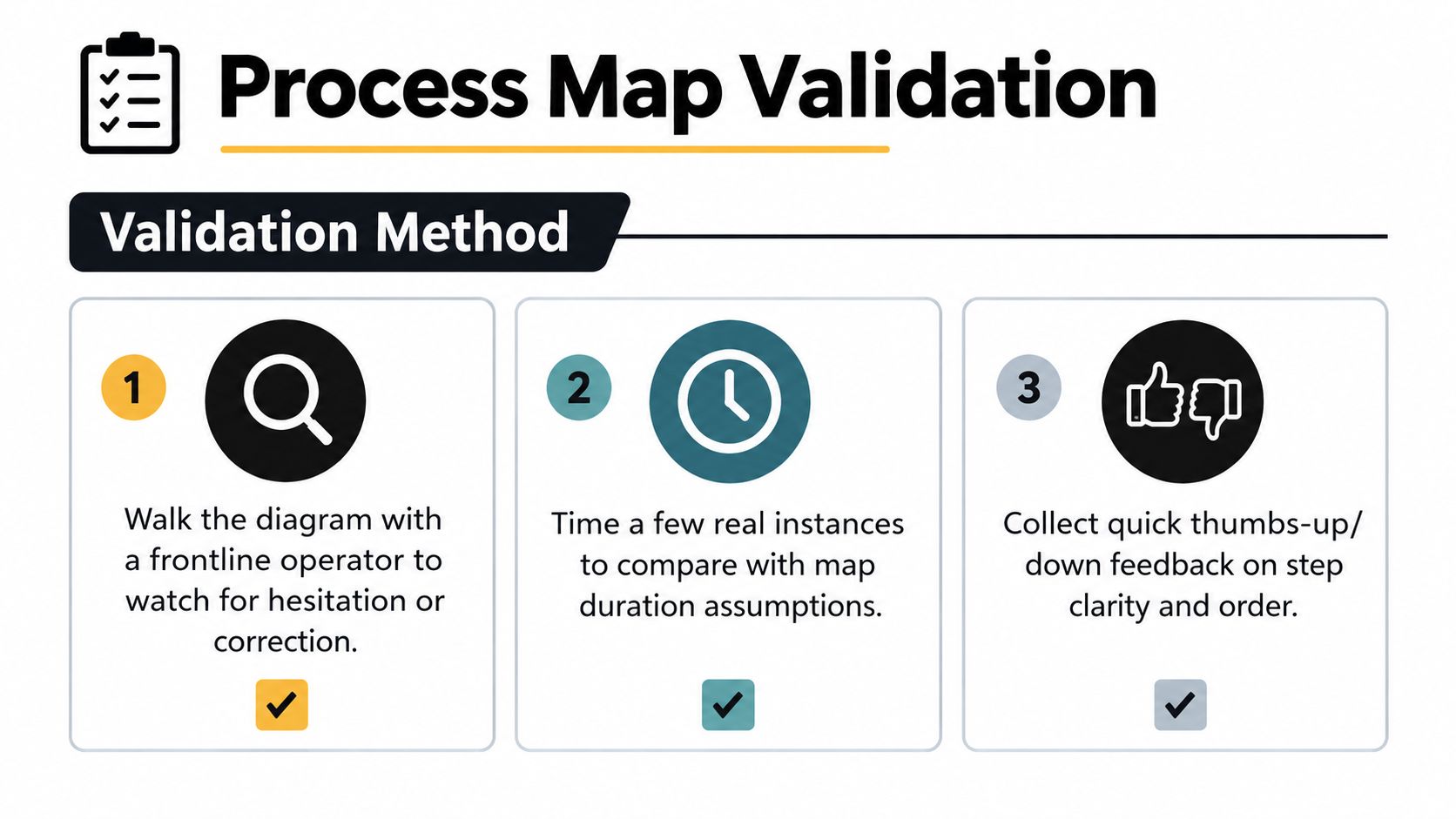
A map nobody has checked against reality is a storyboard, not a baseline. Validation should begin with a low-cost observation: walk the diagram with a frontline operator and watch for hesitation, correction, or the phrase “it depends.” Those moments identify missing branches faster than another abstract workshop.
Use several validation techniques, then choose the lightest combination that can support an engineering decision.
| Validation technique | What it tests | Best signal |
|---|---|---|
| Operator walkthrough | Whether the sequence matches lived execution | Corrections, hesitation, missing steps |
| Timed observation | Whether duration assumptions reflect real work | Cycle time, waiting time, processing time |
| Record review | Whether the flow leaves expected system evidence | Status changes, timestamps, duplicate events |
| Exception review | Whether non-happy paths are represented | Rework loops, escalations, rejected inputs |
| Sponsor sign-off | Whether scope and ownership are accepted | Versioned approval and unresolved assumptions |
Quantitative validation should cover cycle time and lead time, defect or rework rates, and compliance or SLA pass rates where those measures exist. Activity-level timing exposes bottlenecks that interviews often understate. Rework reveals loops that a clean workshop diagram tends to flatten, while compliance and SLA results test whether the documented route matches the path subject to operational review.
Review exceptions before polishing the happy path
The happy path usually gains quick agreement. Spend review time on duplicate webhooks, missing documents, rejected approvals, expired links, unavailable services, and records that already exist. For an insurance operations dashboard, for example, the useful review question isn't only whether a claim moves from intake to assessment. It's whether the system records what happens when the evidence package is incomplete or a reviewer sends it back. See the insurance operations dashboard example for the kind of operational surface that depends on clear status and handoff definitions.
For custom software, validation should produce a sign-off artifact:
- Versioned map: The approved current-state representation, with notation and owner identified.
- Metric snapshot: Available timing, quality, volume, and service-level observations.
- Change log: Steps removed, merged, renamed, or left unresolved.
- Open assumptions: Questions engineering must resolve before implementation.
The goal isn't perfect measurement. The goal is a defensible baseline that tells engineers which behavior is known, which behavior is variable, and where instrumentation belongs.
Handing Off Maps to Automation and AI Workflows
A process map becomes engineering input when the delivery team decomposes it into structured metadata, integration boundaries, and decision points. The visual diagram remains useful for people, but implementation needs a representation that services and workflow designers can inspect without reinterpreting every shape.
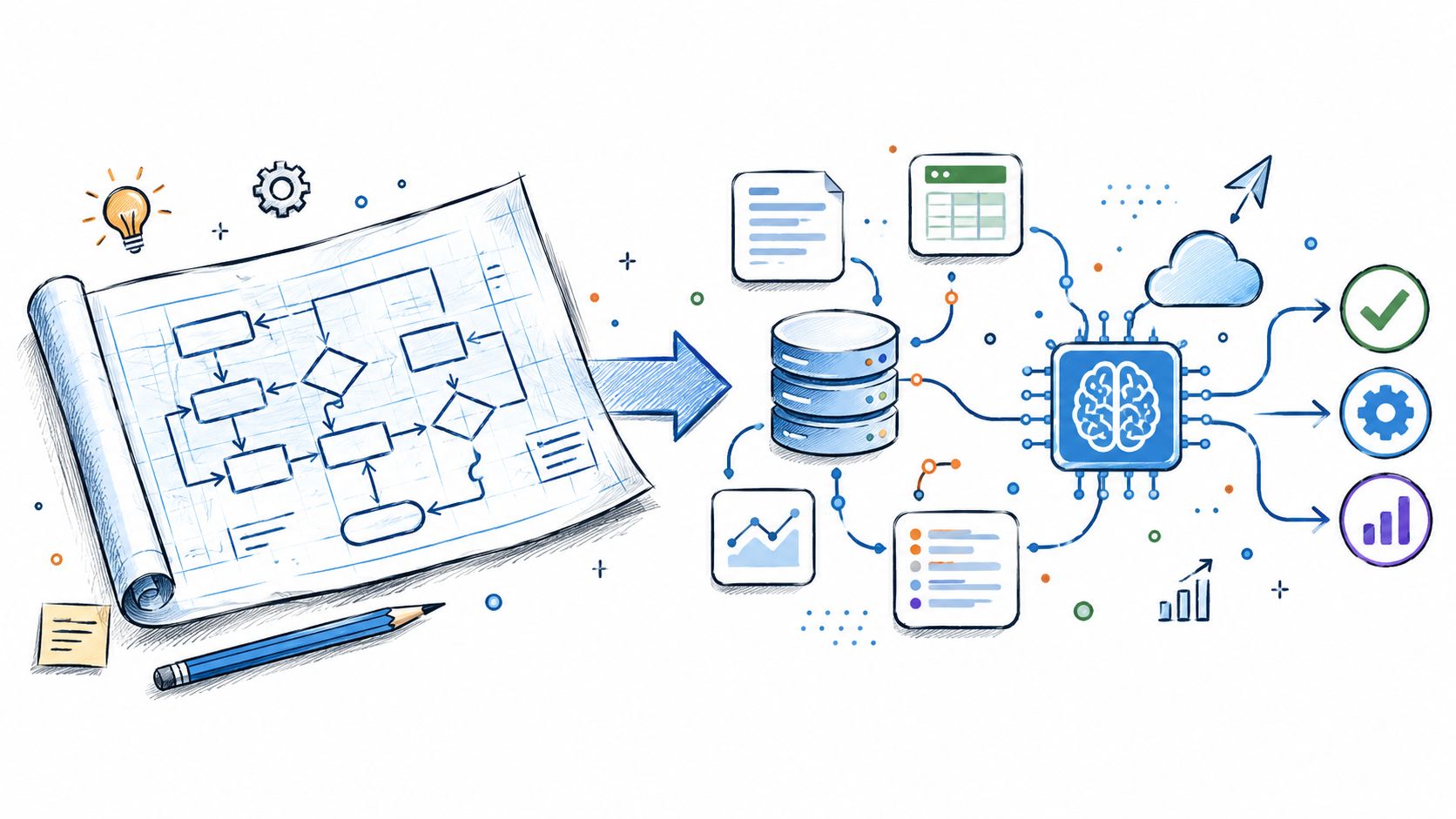
Consider a client-onboarding workflow. The map says an intake specialist receives a signed agreement, verifies required information, routes risk questions to a reviewer, and creates a delivery-ready profile. For a build team, that should become:
- Process metadata: Steps, owners, inputs, outputs, service-level expectations, and decision rules represented in structured JSON or YAML beside the visual.
- Integration boundaries: A CRM event, document service, identity provider, approval service, and internal profile system identified as separate interaction surfaces.
- Decision points: Explicit conditions for complete information, missing information, increased risk, rejection, retry, and escalation.
A handoff between lanes is a candidate for an API, webhook, or queue. That doesn't mean every arrow deserves a new service. The trade-off is between clean ownership and unnecessary distributed complexity. Start with the business event and required data contract, then choose the simplest reliable integration that preserves traceability.
Make engineering review part of discovery
The handoff shouldn't be a single meeting where operations presents a finished picture. Engineers should redline the map and ask:
- Which system owns this field?
- Can this event arrive twice?
- What proves that the previous step completed?
- Who has permission to override the rule?
- What happens when the downstream service is unavailable?
- Which exceptions require a human, and which can an AI workflow classify or route?
An AI workflow needs an additional control layer. If an agent classifies documents or drafts a summary, the map must define the source material, confidence or review condition, permitted action, escalation route, and audit record. Generative output doesn't replace the process rule. It operates inside a bounded route with human ownership where judgment remains necessary.
For a lead-routing workflow, the map might show an AI component extracting location, service need, and urgency from an inbound message. The implementation artifact should state which fields the agent may populate, which cases require review, and which system receives the final assignment. A project involving real estate lead automation illustrates why the process surface must connect intake, routing, and follow-up rather than treating AI as an isolated prompt.
The canonical version belongs in source control alongside the code, tests, and integration definitions. That makes process changes reviewable and gives an AI workflow a current retrieval and prompt-anchoring artifact instead of a stale document in a shared folder.
A short visual walkthrough can help stakeholders understand how the mapped workflow becomes an operational system:
Audit, Build, or AI Workflow
Validation doesn't automatically mean “build software.” It tells you what kind of intervention the process can support. Choose an audit when the map exposes control gaps or undocumented behavior, choose a build when the route is stable enough to encode, and add an AI workflow when unstructured information or nuanced decisions dominate the work.
Commission an audit when the process is unclear
An audit is the right next step when operators follow different routes, ownership is disputed, or exception handling is invisible. It creates a prioritized view of recurring workflows, identifies risk and dependency questions, and separates a process problem from a software problem.
The audit should leave behind an architecture document, an ROI ranking, a recommended build sequence, and a metric baseline. It shouldn't promise automation before the team understands the conditions that automation must handle.
Commission a build when rules are stable
A custom build fits when the map shows clear ownership, repeatable decisions, defined data contracts, and a reliable system boundary. Strong candidates include approval routing, operational dashboards, internal case management, and orchestration across existing services.
The handoff package should include:
- BPMN or swimlane files: The approved executable view and readable operating view.
- RACI notes: Who owns, approves, contributes to, and receives each critical transition.
- Metric baseline: Current timing, rework, quality, and service-level observations.
- Integration contract: Events, payloads, retries, permissions, and failure handling.
- Acceptance rules: Examples that prove the happy path and exception paths behave correctly.
Teams comparing an in-house build with an AI product can use a structured build versus buy AI tooling comparison, but the map should drive the decision. A generic tool may fit a stable route. Custom software is more appropriate when the workflow, data ownership, and exception model are specific to the business.
Layer in AI when the input is unstructured
AI is useful when people must classify messages, extract facts from documents, summarize cases, suggest a route, or support a decision across scattered evidence. It shouldn't be used to hide an undefined rule. If the map can't state what happens after the AI produces an answer, the workflow needs more design first.
The final sponsor checklist is short:
- Is the current state validated by practitioners?
- Are the boundary and focal entity explicit?
- Are system ownership and handoffs named?
- Are exceptions represented?
- Does the metric snapshot establish a baseline?
- Does the selected path have a versioned handoff artifact?
The next concrete move is to leave the decision meeting with that artifact assigned to an owner, stored where engineers can version it, and linked to the first implementation or audit task.
Internal Systems diagnoses recurring workflows, designs custom operational software, connects fragmented tools, and builds monitored automations and AI-powered workflows for teams that need clearer execution. If your process map is exposing handoff failures, unclear ownership, or an automation opportunity, start with Internal Systems to turn the validated workflow into an audit, build plan, or working system.